What a web scraping API is and how to choose one
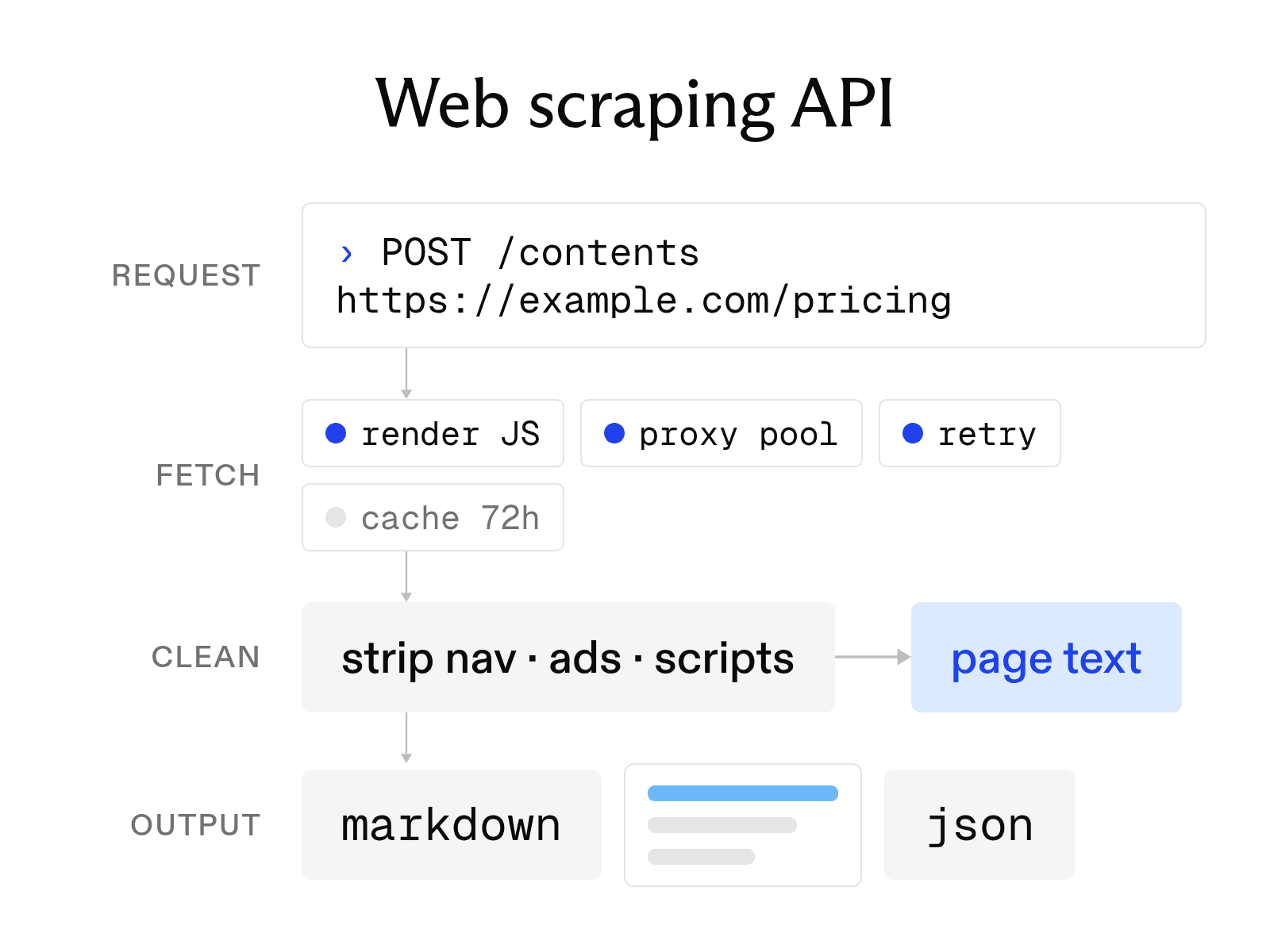

A web scraping API turns a URL into content your application can use, handling work such as fetching the page, rendering JavaScript, and cleaning up the result behind a single API call. Instead of managing browsers, proxies, and parsers yourself, you request a page and get back HTML, Markdown, text, or structured data.
Here at Exa, we continuously crawl and index the public web. Exa Contents can return clean page content from our existing web infrastructure rather than requiring developers to build and maintain a scraping stack themselves. For many AI applications, the real goal isn’t scraping a page; it’s getting useful web content into a model reliably.
This guide explains what web scraping APIs handle, when a simpler library is enough, the six criteria we think matter when choosing one, and how Exa Contents compares with other approaches.
What a scraping API handles for you
A scraping API replaces four infrastructure components that a custom scraper would otherwise require you to build and maintain.
-
Rendering. Pages that load content with JavaScript may do so after the first HTML response. The API runs a headless browser on its servers, waits for the page to load, and returns the content a visitor would see. You do not need to install or update Chromium.
-
Proxies and retries. Sites block IP addresses that send too many requests. The API routes requests through a proxy pool, rotates the proxies, and retries failed requests through a different route. Check whether each provider charges only for successful responses.
-
Rate limits. The API manages request rates and limits the number of requests your account can run at once. These controls reduce the chance that a traffic spike will trigger a block from the target site.
-
Output formatting. The API strips scripts, navigation, and ads and returns the format you ask for. Options include raw HTML, clean text, Markdown for language models, and JSON with named fields.
When to use a scraping API instead of a library
A library is often enough for a small project with simple pages. If you scrape a few static sites that do not block bots, Python's requests library and Beautiful Soup can do the work for free. You control every line of code, and your time is the main cost. When a page requires JavaScript, Playwright can render it on your machine.
A library stops being enough when the project outgrows one machine and one IP address. Rendering thousands of pages in headless browsers consumes significant server capacity and memory. Anti-bot systems block a single IP address, while operating and maintaining a proxy pool costs money and attention. A site layout change can also break a selector and require a manual fix.
Switch to an API when the time you spend managing proxies, retries, and browsers costs more than the API's per-request fee. You can also use a library for a few simple sites and send more difficult requests through an API.
How to choose a scraping API
-
Output format. Check which formats the API returns and how many tokens each format uses. Raw HTML works well for parsers, while Markdown preserves headings and lists for language models. Some APIs also return highlights, which contain only the passages that match a query. Exa highlights are up to 17 times more token-efficient than full-page text.
-
JavaScript rendering. Confirm that rendering is available on your plan and whether it costs extra credits. Test it on the pages you actually need.
-
Freshness control. Check how the API chooses between a cached copy and a fresh fetch. Firecrawl's
maxAgeand Exa'smaxAgeHoursboth let you set the maximum cache age. A value of 0 forces a fresh fetch. -
Latency control. Agents and user-facing applications often need responses within a fixed time. Look for a timeout parameter and options that balance speed with depth. Exa lets you limit live fetch time with
livecrawlTimeout, and its Search API offers configurable latency ranging from 180 milliseconds to about one second. -
Rate limits. Concurrency caps how many requests run at once. Request rate caps how fast you can start them. Read both, and read them on the tier you will actually buy. Firecrawl's concurrency runs 2 on the free plan and 25 on Standard; ScrapingBee's runs 25 on the $19 Hobby plan and 50 on Freelance. Exa publishes a request rate instead: 10 queries per second on the free tier.
-
Compliance. If your pages or queries involve regulated data, ask about SOC 2 reports, zero data retention (ZDR), and HIPAA support. Exa and Firecrawl are both SOC 2 Type II compliant. Exa Enterprise plans offer ZDR for Search, Contents, and Agent, along with HIPAA support.
Web scraping API providers
-
Exa Contents returns plain, markdown-style page text, query-relevant highlights, or schema-based summaries for up to 100 URLs per request. It supports JavaScript-rendered pages and PDFs. You can control freshness with
maxAgeHoursand fetch time withlivecrawlTimeout. Highlights are up to 17 times more token-efficient than full-page text. Contents costs $1 per 1,000 pages, per content type, so asking for text and highlights in one call bills twice. Exa is SOC 2 Type II compliant, and Enterprise plans add zero data retention and HIPAA support. -
ScraperAPI returns HTML, automatically parsed JSON, text, or Markdown for any URL. Every plan includes JavaScript rendering and automatic retries. The free plan provides 1,000 API credits, while the Hobby plan costs $49 per month for 100,000 credits.
-
Firecrawl converts pages to Markdown or HTML and can extract JSON that follows a defined schema. It also manages proxies, caching, and rate limits. The free plan includes 1,000 credits per month, and every plan includes SOC 2 Type II compliance.
-
Apify runs scrapers called Actors, and its store lists more than 70,000 for sites such as Google Maps and Instagram. You can start them through the API or console, then export the results as JSON, CSV, or Excel. The free plan includes $5 in monthly usage.
-
ScrapingBee offers JavaScript rendering, rotating proxies, and Markdown output. Its
ai_queryparameter extracts data based on a natural-language description. New accounts receive 1,000 free API credits, and paid plans start at $19 per month. -
Bright Data Web Unlocker retrieves pages protected by CAPTCHAs and anti-bot systems, then returns HTML or Markdown. It includes 5,000 free requests per month. Pay-as-you-go pricing is $1.50 per 1,000 successful requests.
How to make your first Exa Contents request
Install the SDK with pip install exa-py, then set your key as the EXA_API_KEY environment variable. The Python SDK requires Python 3.9 or later. New accounts receive $20 in free credits, which can cover thousands of Contents requests.
The call below passes one URL to get_contents and requests highlights. The query inside highlights identifies which passages to keep, so the response includes the sentences about token efficiency and omits the rest of the post. You can pass a list of up to 100 URLs to fetch more pages in the same call.
from exa_py import Exa

exa = Exa()

result = exa.get_contents(
    ["https://exa.ai/blog/dynamic-highlights"],
    text=False,
    highlights={"query": "token efficiency and quality results"},
)

print(result.results[0].highlights)
Exa's documentation shows this response for the request:
{
  "requestId": "e492118ccdedcba5088bfc4357a8a125",
  "results": [
    {
      "id": "https://exa.ai/blog/dynamic-highlights",
      "title": "Dynamic Highlights",
      "url": "https://exa.ai/blog/dynamic-highlights",
      "highlights": [
        "With a 12k character budget, relative to existing highlights, Dynamic Highlights achieves a 40% average token efficiency gain with a notable quality increase..."
      ]
    }
  ],
  "statuses": [
    {
      "id": "https://exa.ai/blog/dynamic-highlights",
      "status": "success",
      "source": "cached"
    }
  ],
  "costDollars": {
    "total": 0.001
  }
}
The highlights array contains only the passage that answers the query, which keeps the text sent to a model short. The statuses entry shows that the page came from Exa's cache. You can pass max_age_hours=0 to force a fresh fetch. The costDollars field reports the estimated cost of the call, which is one-tenth of a cent in this example.
FAQ
Is a web scraping API legal to use?
The legal issues depend on what you scrape and how you use the data. Public pages generally present less risk. Content behind logins, copyrighted material, and personal data may present greater risk. Review each site's terms of service and its robots.txt file, which follows RFC 9309, and seek legal advice for commercial projects.
How much does a web scraping API cost?
Most providers charge per request or credit and offer a free tier for testing. Pay-as-you-go rates run from $1 per 1,000 pages on Exa Contents to $1.50 per 1,000 successful requests on Bright Data. Monthly subscriptions start between $16 and $49. JavaScript rendering, premium proxies, and AI extraction may require additional credits.
What is the difference between a scraping API and a search API?
A scraping API fetches the URLs you provide. A search API finds URLs that match a query and returns their content in the same call. Some providers do both: Exa Search finds the pages and returns their text or highlights in one request, and Firecrawl pairs its scrape endpoint with a search endpoint.
Cheers,
Keep learning
Browse all Learn articles →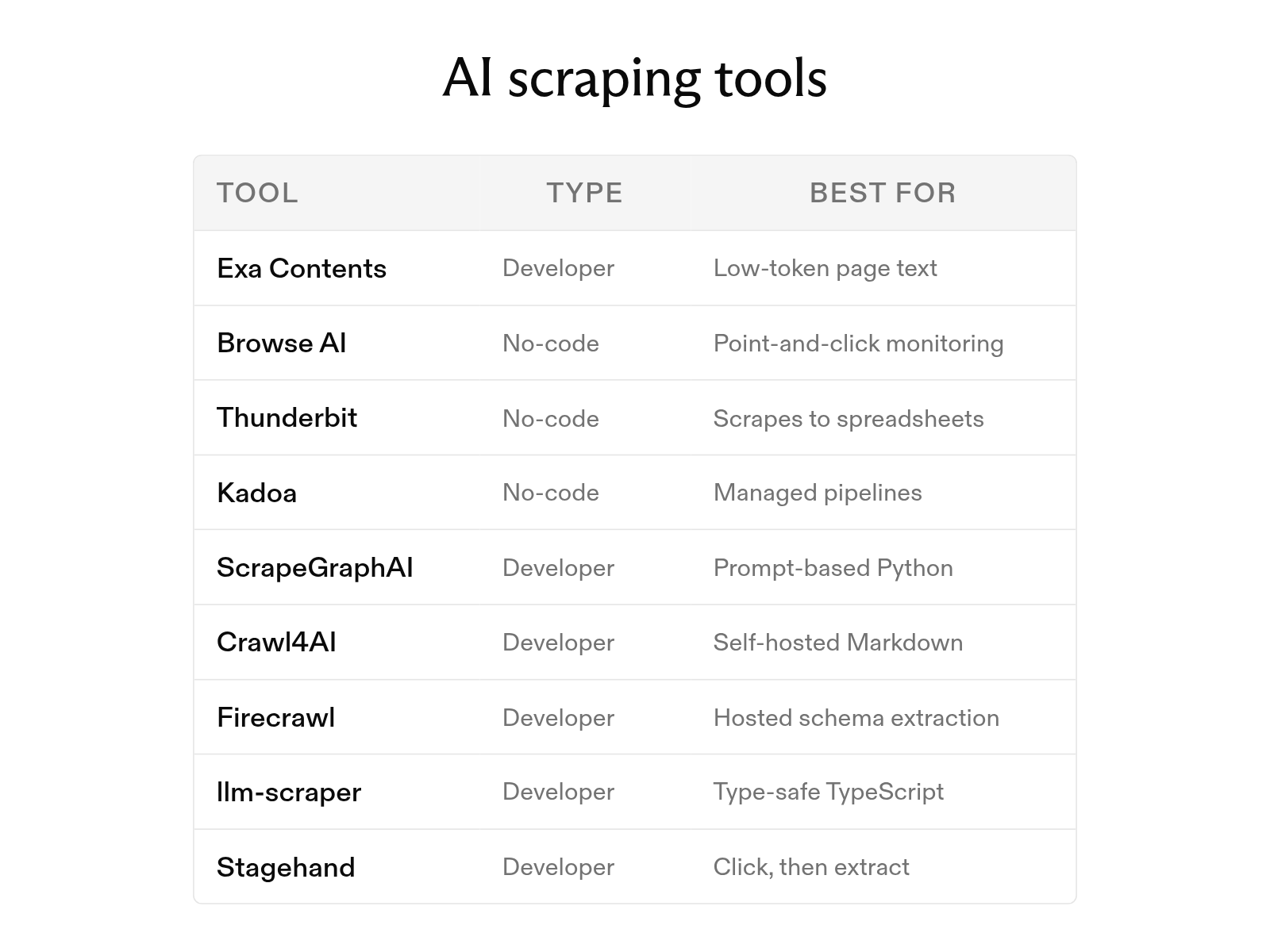
The 9 best AI web scraping tools in 2026 (and how AI scraping works)
October 6, 2026
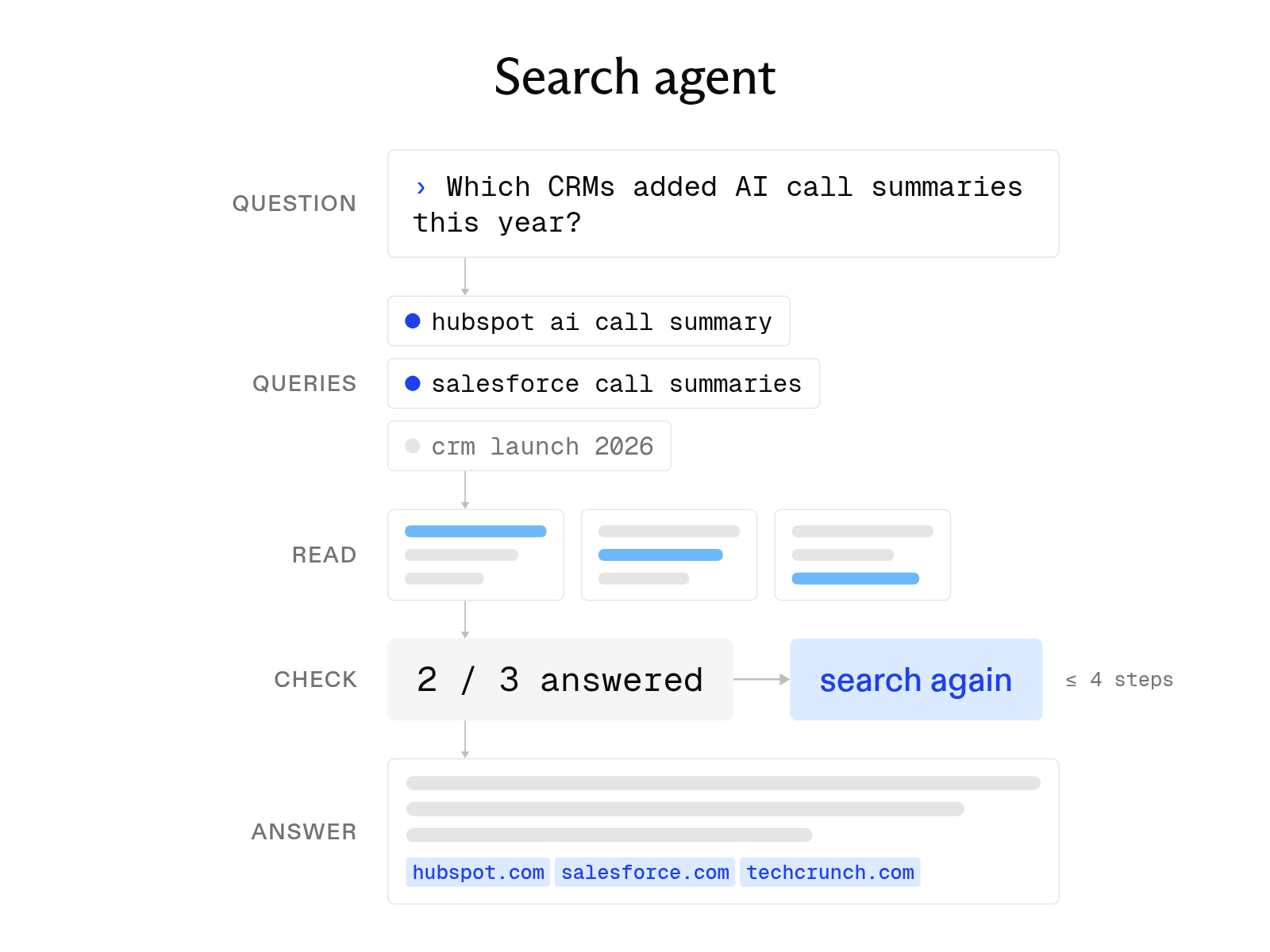
What is a search agent? How they work and how to build one
October 1, 2026
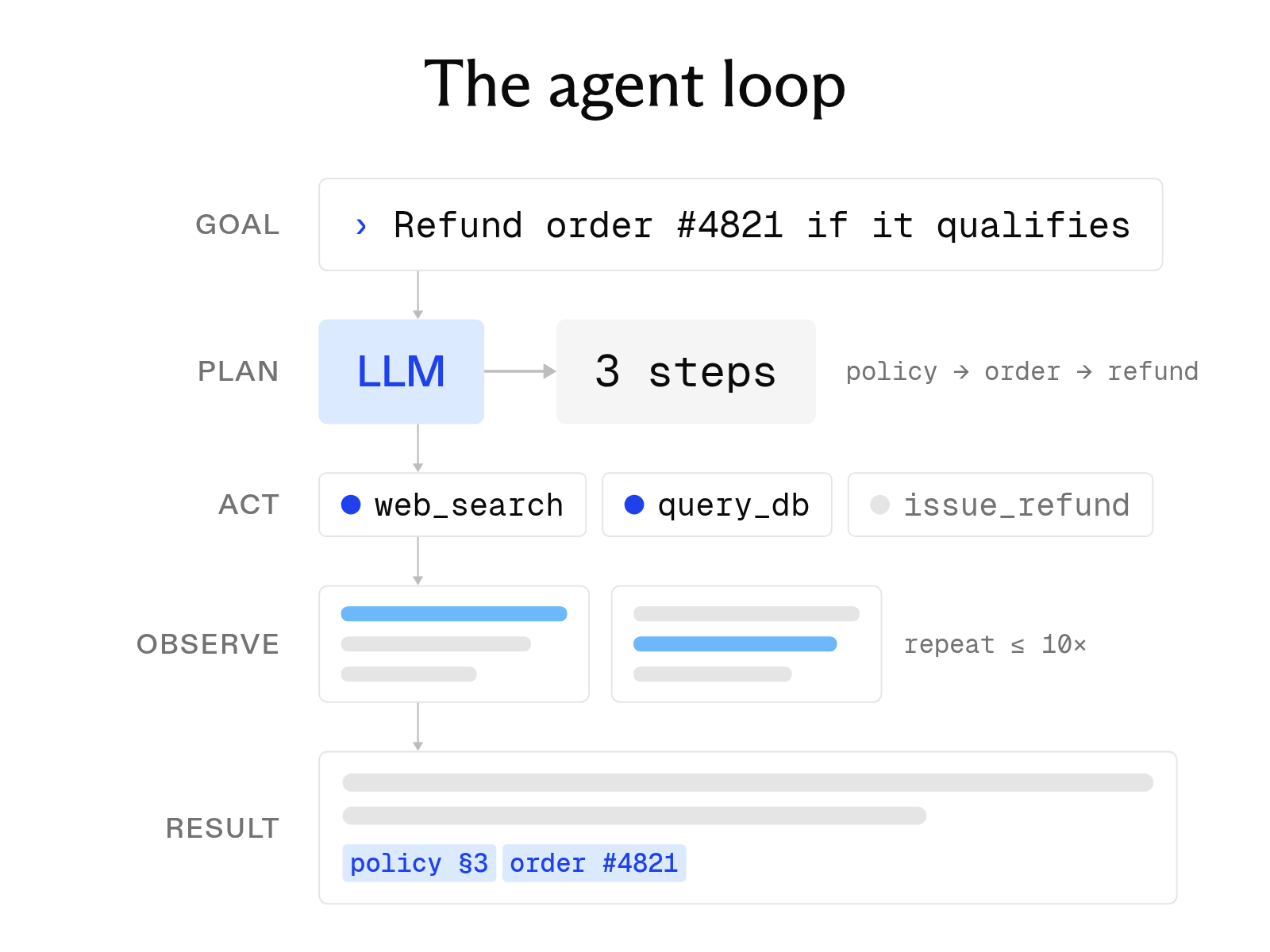
What is an AI agent? How it works, key components, and examples
October 1, 2026
The 8 best web search tools for AI agents in 2026
October 6, 2026
What is deep search, and how does it differ from deep research?
October 6, 2026
What is LLM grounding, and how does it work with a search API?
October 6, 2026