The 9 best AI web scraping tools in 2026 (and how AI scraping works)

Web scraping used to mean writing selectors, maintaining crawlers, and fixing them whenever a website changed. New tools can identify the information you want from its meaning, extract it into structured data, and in some cases skip the traditional crawl-and-scrape workflow altogether.
Here at Exa, we crawl and index the public web so developers and AI agents can retrieve clean page content without scraping every site themselves.
Sometimes the best approach is a smarter scraper; other times, it makes more sense to skip scraping altogether and retrieve the content from an existing web index.
This guide explains how AI scraping works, compares nine tools including Exa Contents, and breaks down when to use traditional selectors, LLM extraction, a hybrid approach, or an existing web index.
How AI scraping works
Whether it is a Chrome extension or a Python library, an AI scraper generally follows three steps: fetching the page, interpreting its content, and structuring the extracted data.
-
First, the tool fetches the page. A basic HTTP request works for static sites. If a site loads content with JavaScript, the tool typically uses a headless browser such as Chromium through Playwright and waits for the page to render. Some tools also manage proxies and retries or retrieve a cached copy from an index during this stage.
-
Next, the tool parses the rendered content semantically. It sends the page content to a language model with an instruction such as "extract every product name and price." Because the model reads the text in context rather than relying on selectors, it can distinguish a sale price from a list price or a job title from a department name.
-
Finally, the model structures the extracted data in a fixed format that code can use. Tools such as llm-scraper and Stagehand accept a JSON Schema or Zod schema, helping teams identify missing fields and incorrect data types before the data reaches a database.
The LLM scraping pipeline
Building an AI scraper by hand follows the same three-stage process: fetch the HTML, convert it to Markdown, and map the content to a schema.
-
First, fetch the HTML. Use requests for static pages or Playwright for pages that need JavaScript. Save the raw response so you can rerun later stages without fetching the page again.
-
Second, convert the HTML to Markdown. Raw HTML contains scripts, styles, and attributes that consume tokens while providing little useful information to the model. Markdown preserves meaningful headings, lists, links, and tables in a much shorter format. Crawl4AI handles this conversion, while llm-scraper offers Markdown as one of its six input modes.
-
Third, map the Markdown to a schema. Send both the content and the schema to the model, then ask it to return matching data. For example, the JSON Schema below requests a list of products with a name, price, and stock flag.
{
  "type": "object",
  "properties": {
    "products": {
      "type": "array",
      "items": {
        "type": "object",
        "properties": {
          "name": { "type": "string" },
          "price": { "type": "number" },
          "in_stock": { "type": "boolean" }
        },
        "required": ["name", "price"]
      }
    }
  },
  "required": ["products"]
}
After extraction, validate each response against the schema and log any failures for review.
The 9 AI scraping tools
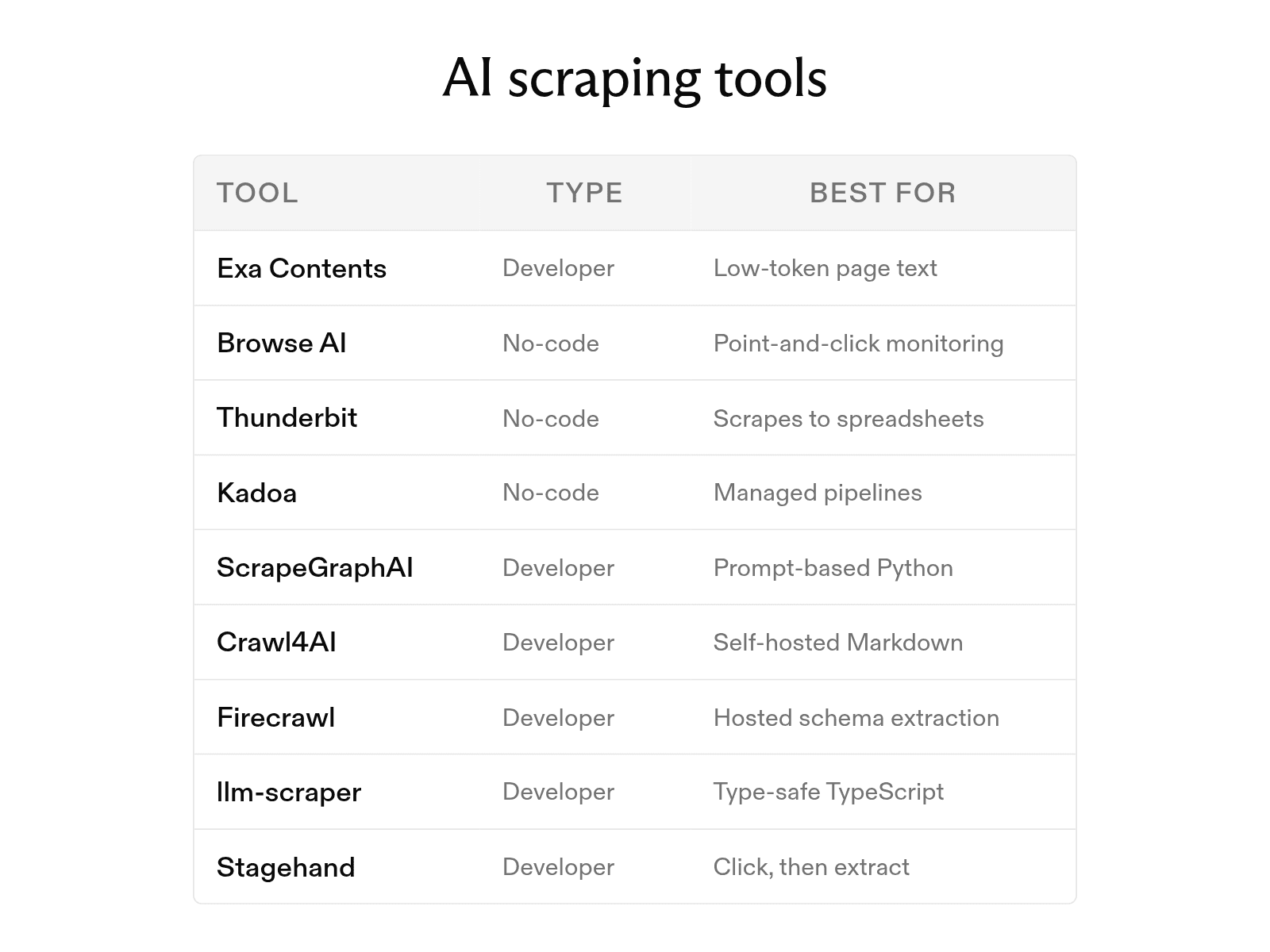
The nine tools fall into two groups: no-code products for analysts and operations teams, and developer tools for engineers adding AI extraction to their own code.
1. No-code tools
-
Browse AI lets you train a robot by clicking through a site in its Robot Studio. AI change detection adjusts the robot when the site's layout changes. The free plan includes 50 credits per month.
-
Thunderbit is a Chrome extension. You describe the data you need, and its AI agent sends it from the open page to Excel, Google Sheets, Airtable, or Notion. The free plan covers six pages per month.
-
Kadoa turns a plain-language request into a data pipeline. Its agents write and test extraction code, repair the code when a check fails, and send data to Snowflake, S3, BigQuery, or an API. After a free trial, pricing is based on usage.
2. Developer tools
-
Exa Contents handles JavaScript-rendered pages and PDFs, returning a page's full text, highlights, or a summary from a URL. Its highlights contain query-matching passages and can use up to 17 times fewer tokens than full-page text. For specific fields, users can pass a JSON schema to the summary option.
-
ScrapeGraphAI is an MIT-licensed Python library. You pass a prompt and a URL, and the library builds a graph pipeline that returns JSON. It also works with local models through Ollama.
-
Crawl4AI is an Apache 2.0 Python crawler. It produces clean Markdown and supports LLM-based extraction as well as CSS and XPath rules.
-
Firecrawl uses one API call to return Markdown or JSON extracted with a schema or prompt. JSON mode costs four credits per page in addition to the base credit.
-
llm-scraper is a TypeScript library built on Playwright. You define the output with a Zod or JSON schema, and its code-generation mode creates reusable scraping code.
-
Stagehand is an MIT-licensed SDK from Browserbase for TypeScript, Python, and Go. Its extract() method returns schema-validated data. Its act() method clicks and types based on natural-language instructions.
| Tool | Best for |
|---|---|
| Exa Contents | Low-token page text for LLMs |
| Browse AI | Point-and-click monitoring |
| Thunderbit | Quick scrapes into spreadsheets |
| Kadoa | Managed pipelines for data teams |
| ScrapeGraphAI | Prompt-based Python scraping |
| Crawl4AI | Self-hosted Markdown crawling |
| Firecrawl | Hosted schema extraction |
| llm-scraper | Type-safe TypeScript scrapers |
| Stagehand | Agents that click, then extract |
Benefits and drawbacks
-
The main benefit of AI scraping is resilience. While a selector-based scraper can break when a site renames a CSS class, an AI scraper reads the page by meaning and can continue working. Teams that scrape hundreds of sites can therefore avoid writing and repairing separate selectors for each one.
-
AI scraping can also reduce development time. Instead of inspecting HTML, developers describe the required fields in a prompt or schema. This approach can produce a working scraper in minutes.
-
The main drawback is cost per page. Because each page passes through a language model, every input token adds expense. Even after conversion to Markdown, a long product page can contain thousands of tokens. Sending only relevant passages, such as Exa highlights, can reduce that cost.
-
AI scraping also adds latency because the model processes the content after the page is fetched. This delay matters most for real-time lookups, when a user is waiting for the result.
-
Finally, accuracy requires careful checks. A model can misread a value or fill a missing field with a plausible guess, so teams should validate output against the schema and review sample results.
When to use selectors, an LLM, or a hybrid
Choose among selectors, an LLM, and a hybrid approach based on the number of sites, the frequency of layout changes, and the available model-token budget per page.
| Method | Cost per page | Accuracy | Maintenance |
|---|---|---|---|
| CSS or XPath selectors | Compute only | Exact while layout holds | Fix on every layout change |
| LLM on full-page Markdown | Model tokens for the whole page | Handles layout changes; needs validation | Low |
| LLM on Exa highlights | Model tokens for matching passages only | Handles layout changes; needs validation | Low |
| Hybrid: LLM writes selectors | Model tokens at setup and repair | Exact once generated | Regenerate on failure |
In practice, selectors work well for a small number of stable, high-volume sites, while an LLM suits many sites with different or frequently changing layouts. For large, recurring jobs, a hybrid approach such as llm-scraper's code generation or Kadoa's agent-written pipelines can combine model flexibility during setup with a fixed cost per page afterward.
What is an AI crawler?
Beyond scraping tools, the term "AI crawler" can also refer to bots that AI developers send to websites. These bots fall into three groups: training bots, retrieval bots, and infrastructure tools.
-
Training bots collect pages that developers may use to train models. Examples include OpenAI's GPTBot and Anthropic's ClaudeBot. Blocking these bots signals that site content should not be included in future training data.
-
Retrieval bots fetch pages for AI search and answers to user questions. OpenAI uses OAI-SearchBot for ChatGPT search and ChatGPT-User for user-initiated visits, while Anthropic uses Claude-SearchBot and Claude-User. Exa runs ExaSearchBot, which identifies itself as ExaSearchBot/1.0, respects robots.txt, and signs each request so site owners can verify it.
-
The third group consists of infrastructure tools, such as Firecrawl and Crawl4AI, that crawl sites on behalf of their users. User agents and robots.txt behavior vary by tool and configuration, so users should review each vendor's documentation.
Each crawler category serves a distinct purpose. Search crawlers such as Googlebot index pages so search engines can direct people to them, while training bots collect content for model development. Retrieval bots sit between these groups because they fetch pages to cite in responses.
Managing AI crawlers on your site
Start managing these crawlers with robots.txt. Because each bot reads its own user-agent group, site owners can allow retrieval bots while blocking training bots. For example, User-agent: GPTBot followed by Disallow: / blocks OpenAI's training crawler, while leaving OAI-SearchBot allowed keeps pages eligible for ChatGPT search. One exception applies: robots.txt rules may not govern ChatGPT-User because a person, rather than a crawler, initiates those visits.
Robots.txt only expresses a preference, however, and not every bot follows it. Cloudflare AI Crawl Control, available on all Cloudflare plans, shows which AI tools access a site, lets site owners allow or block individual crawlers, and tracks crawlers that ignore robots.txt rules.
FAQ
Is AI web scraping better than traditional scraping?
The better approach depends on the job. AI scraping costs more per page and takes longer because every page passes through a model, but it requires far less setup and continues working through layout changes. That tradeoff favors AI scraping across many sites with different layouts. Sending the model less content can narrow the cost gap; for example, Exa highlights return only passages that match the query.
Which language model works best for scraping?
Test two or three models on representative pages. Most tools support several options: llm-scraper supports the GPT, Sonnet, Gemini, Llama, and Qwen model series, while ScrapeGraphAI runs local models through Ollama. For simple extraction, start with a smaller model. Because input tokens drive cost regardless of the model, reducing long-page input often matters more than model choice. Exa Contents addresses this need by returning targeted passages.
Can AI scrapers get past CAPTCHAs?
The language model itself does not solve CAPTCHAs. Some platforms handle CAPTCHAs and proxies while fetching pages, while others decline to bypass them. ExaSearchBot does not bypass logins, paywalls, or CAPTCHAs and does not submit forms. Anthropic likewise states that its bots respect anti-circumvention technologies.
How do I stop AI crawlers from scraping my site?
Add a robots.txt group for each bot you want to block, such as GPTBot, ClaudeBot, or ExaSearchBot. Because robots.txt governs crawling rather than previously indexed content, removing a stored page requires a noindex robots meta tag or an X-Robots-Tag: noindex header. To stop bots that ignore robots.txt, use a firewall rule or Cloudflare AI Crawl Control.
Cheers,
Keep learning
Browse all Learn articles →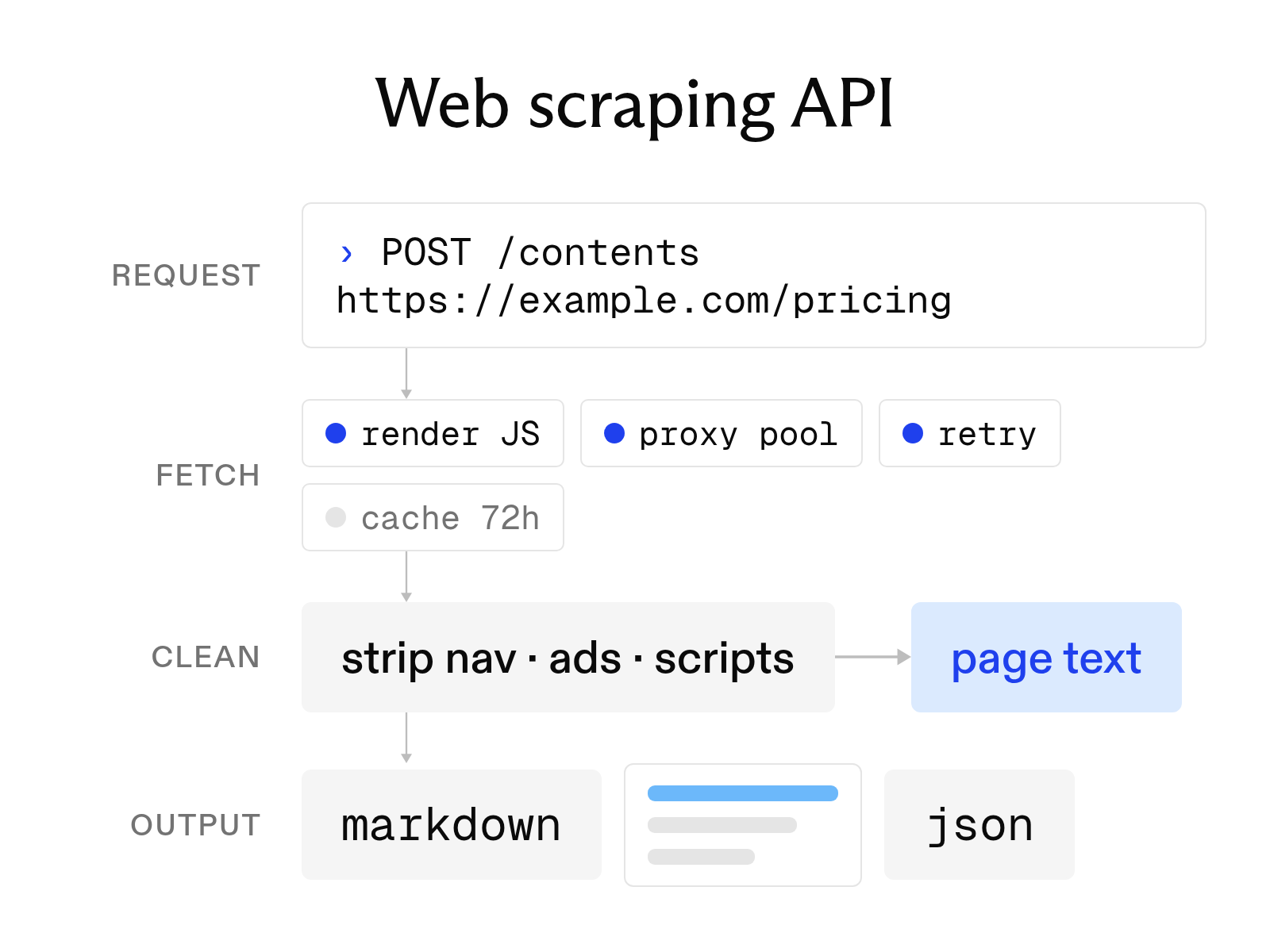
What a web scraping API is and how to choose one
October 6, 2026
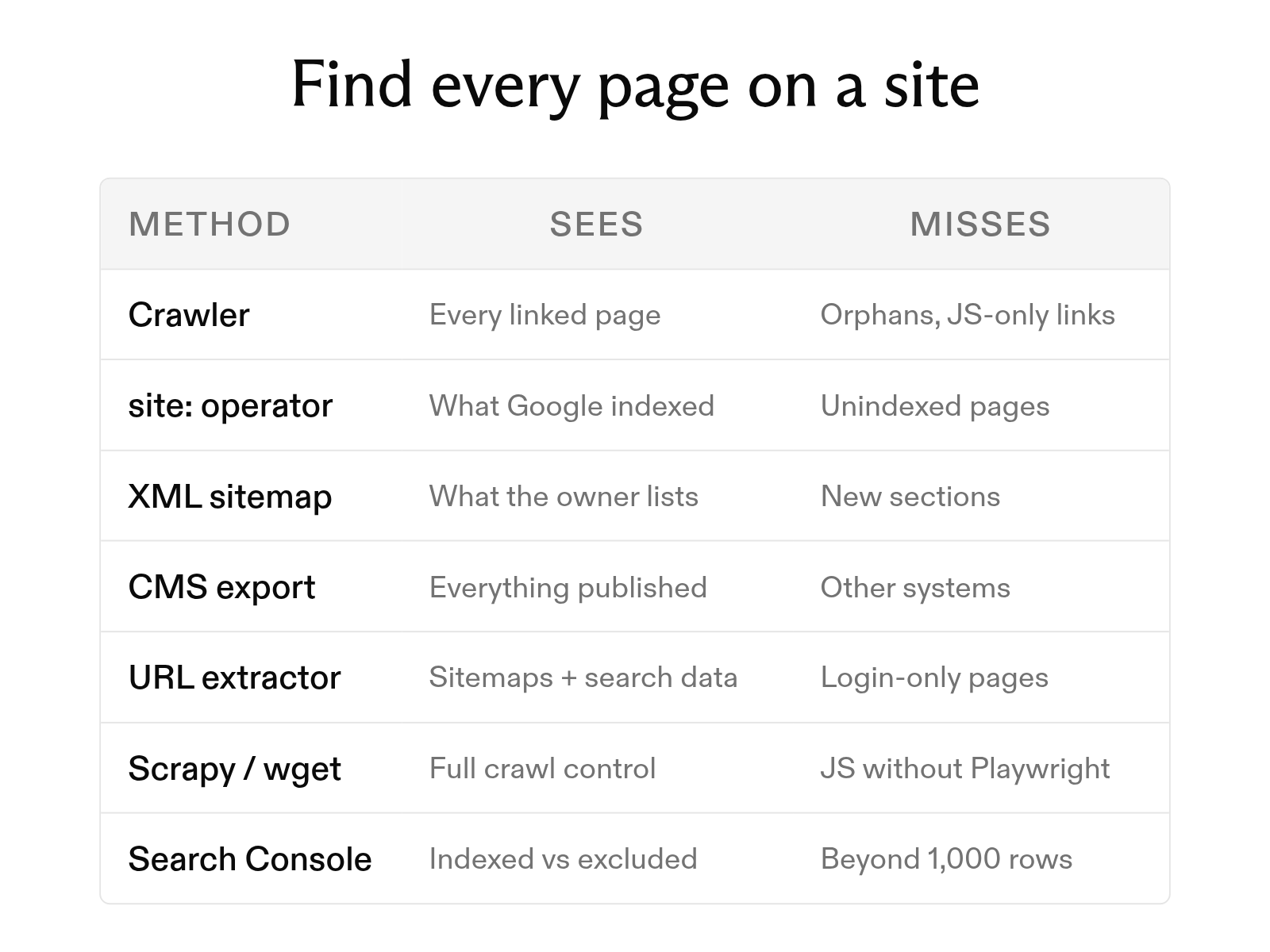
How to find all pages on a website: 7 methods
October 6, 2026
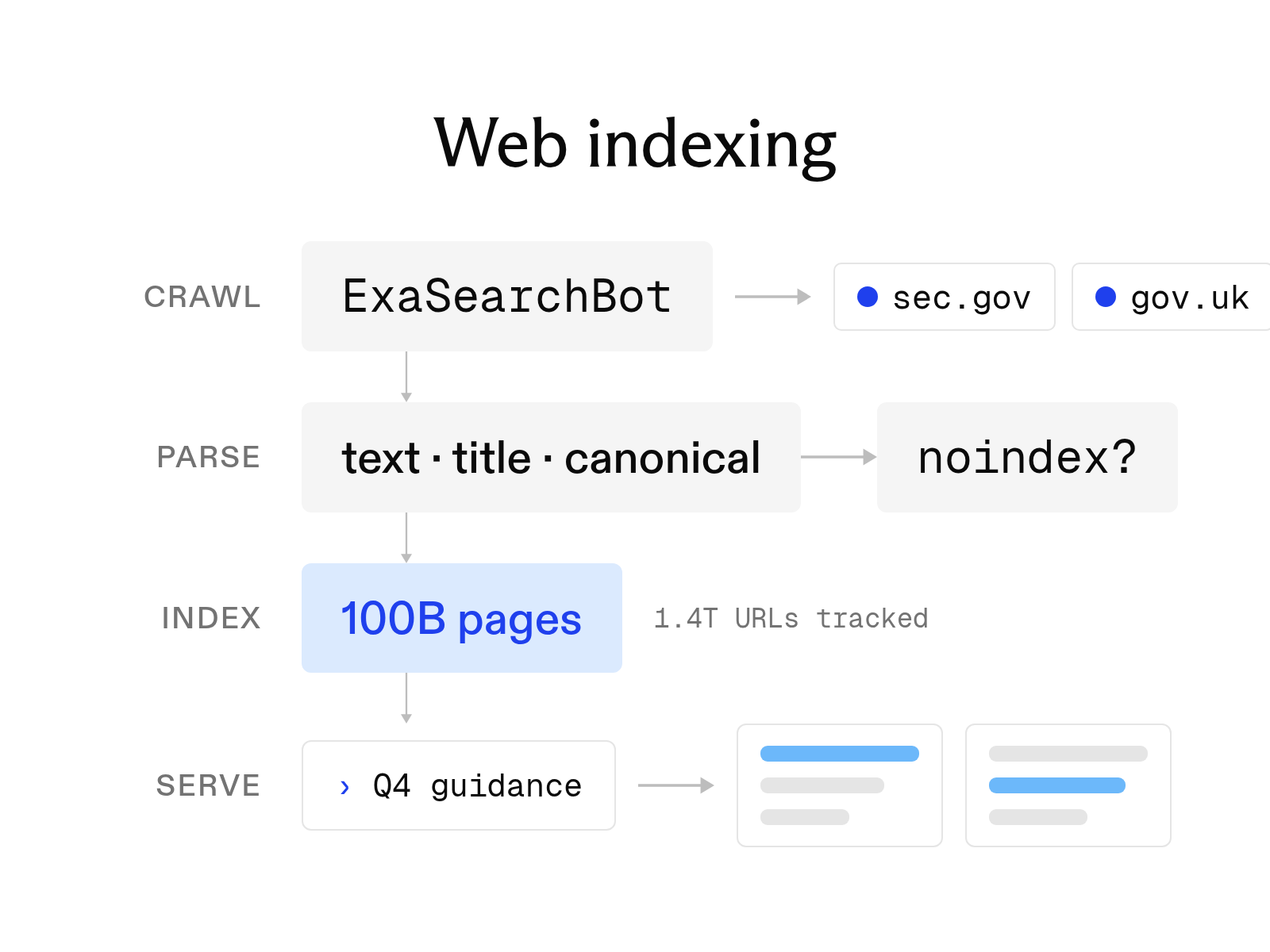
What is web indexing? How it works and why AI search needs its own index
October 6, 2026
The 12 best AI tools for academic research in 2026
October 6, 2026
The 6 best people search APIs in 2026
October 6, 2026
The 8 best web search tools for AI agents in 2026
October 6, 2026