Agentic workflows: 6 patterns and the search infrastructure that supports them

An agentic workflow is a loop in which a language model plans a step, calls a tool, reads the result, and picks the next step. It runs until the model reaches its goal or hits a limit you set. Building one means deciding how much control goes in code and how much to the model.
At Exa, we run the search layer agent builders call inside these loops. Cognition uses it for its autonomous software engineer: "Exa powers all parts of Devin," says co-founder Walden Yan.
This guide covers six workflow patterns, when a simpler one is enough, how agent runs fail, and what agents need from search.
Six workflow patterns
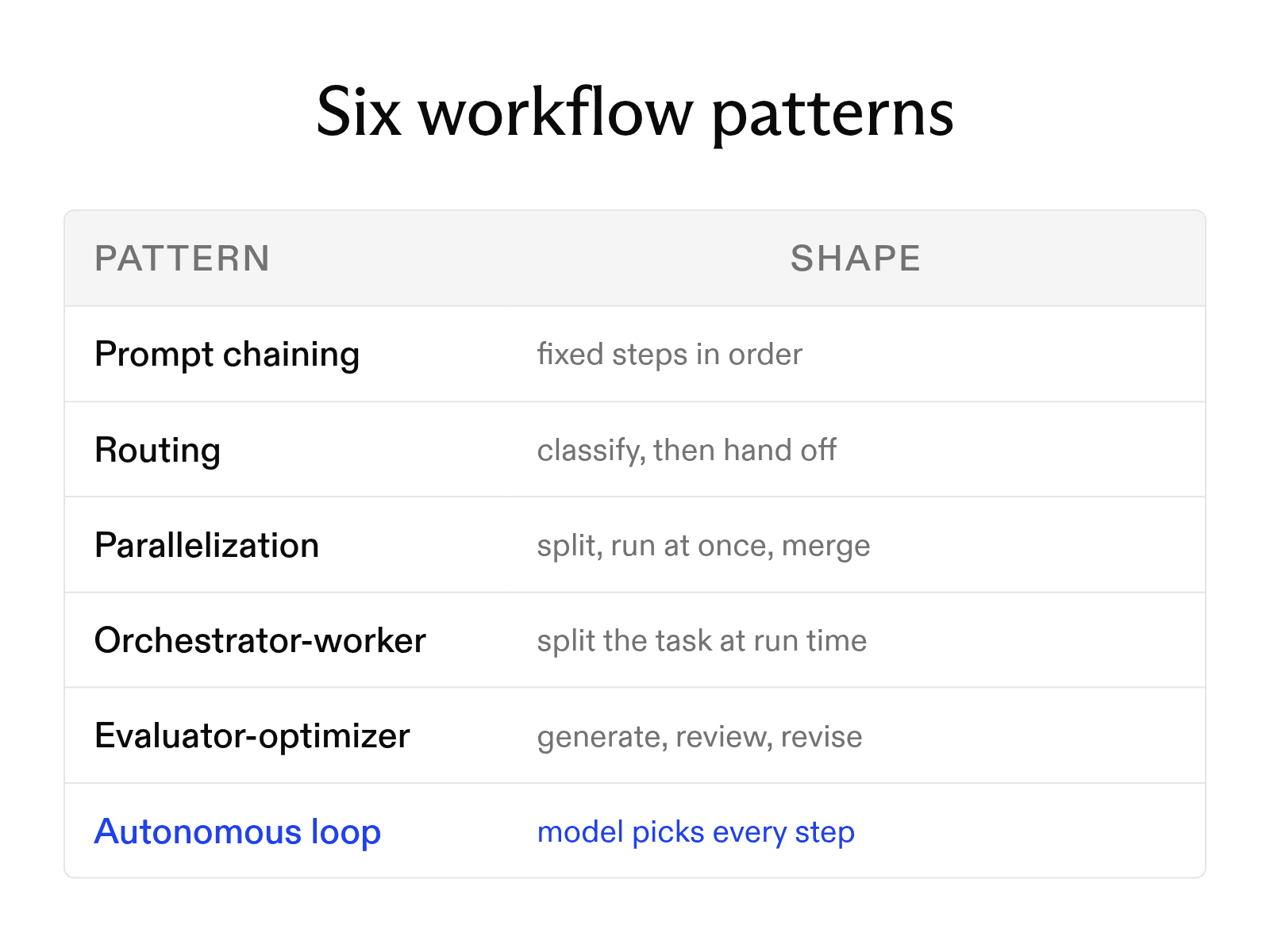
A workflow follows model and tool paths developers define in advance; an agent chooses its own steps and tools. The first five patterns are workflows; the autonomous loop is an agent. Use an agent only when you can't define the steps in advance. Either can call Exa Search as a tool.
1. Prompt chaining
Prompt chaining runs fixed steps in order, each model call reading the previous one's output. A docs team might draft a release note, check it against the changelog, and translate it. A code check between steps can stop an early error from carrying through every later step.
2. Routing
Routing classifies an input and sends it to a specialized handler. A help desk can send billing questions to a prompt with account tools and API questions to one with documentation search. A misrouted input may get a confident but wrong answer. If one prompt handles every category, the router just adds a model call.
3. Parallelization
Parallelization splits a task into independent parts that run at once, then merges the results. A due-diligence tool can research a company's product, funding, and hiring in three simultaneous searches. If one branch times out, the merge may fill the gap with a guess. If the queries never change, run them in code, not through a model.
4. Orchestrator-worker
One model splits the task at run time and assigns each part to a worker model. A research assistant comparing ten vendors can decide which facts each worker gathers. Unneeded workers add cost; if every input splits the same way, parallelization costs less.
5. Evaluator-optimizer
A generator produces output; an evaluator scores it and returns feedback. A code review agent can draft a comment, and the evaluator checks its claim against current library documentation before it's posted. If the evaluator can't name a specific problem, one pass is enough.
6. Autonomous loop
The model gets a goal and tools and chooses every step. A coding agent can fix a failing test by reading files, searching docs, and editing code for as many turns as it takes. Anthropic's “Building effective agents” recommends this shape for open-ended problems where no one can predict the step count.
The six patterns side by side
In general, complexity rises as the model controls more of the step count.
| Pattern | Complexity | Step count | Best-fit task | Main failure mode |
|---|---|---|---|---|
| Prompt chaining | Low | Fixed: known in advance | Draft a release note, check it, translate it | An early error carries through every later step |
| Routing | Low | Fixed: one classification, then one handler | Support triage by question type | A misrouted input gets the wrong handler |
| Parallelization | Medium | Fixed: branches set in advance | Research one company from three angles | A failed branch gets filled with a guess |
| Orchestrator-worker | High | Variable: set by the orchestrator at run time | Compare vendors on different facts | The orchestrator creates more workers than the task needs |
| Evaluator-optimizer | Medium | Variable: repeats until the evaluator passes | Code review comments checked against docs | Vague criteria make the evaluator pass or reject everything |
| Autonomous loop | Highest | Open-ended: set by the model | Fix a bug of unknown size | The model never decides it is done |
Where agentic workflows break
Each failure has a guard you can set before the first run.
-
Runaway loops. An agent may repeat a failed search with the same query, or keep researching with no stopping rule, paying for a model call and a tool call each turn. Cap turns and spending per run; when the agent hits either, end the run and return its best answer. To track spending, sum the
costDollarsfield across our API responses. The Exa Agent API can cap spending for you: with auto effort, setbudget.maxCostDollarsfrom $1 to $100, or pick a fixed effort level, from $0.012 per request forminimalto $1.00 forxhigh. -
Context exhaustion. In a long task, old tool results can fill the context window, so the model may lose its original instructions or the model API may reject the request. Track tokens on every call, cap each result's size, and summarize or drop older results at your threshold.
-
Silent tool errors. If a failed tool returns an empty list, the model may treat it as a search with no results and answer as if no source exists. Return a structured error instead: the error type, a clear message, and whether the model can retry. A model that reads "rate limited, retry in one second" waits.
What agents need from search infrastructure
A person runs one search and reads a few links; an agent can run dozens in one task and read every result. That creates six requirements search tools built for people may not meet.
-
Burst tolerance and parallel throughput. An orchestrator with 20 workers can send 20 searches in one second; the search layer must absorb the burst or return an error the orchestrator can retry. Check each endpoint's queries-per-second (QPS) limit. Exa Search, our web search API, allows 10 QPS on
/searchby default, 5 QPS for deep search types, and 100 QPS on/contents, which fetches known URLs, so a workflow can find pages in one step and fetch them in bulk the next. -
Payload size and token efficiency. Every result takes context space, every loop adds more, and a few full pages can fill the window. Measure the input tokens each result uses. Highlights return only the passages that answer the query. In our benchmark, they matched full-page accuracy with 16x fewer tokens.
-
Freshness control per call. A price check needs the latest page. A concept explanation can use a cached copy. With
autoor a deep search type, setcontents.maxAgeHoursto0to request a fresh fetch. Exa can reuse a fetch from the last 60 seconds. A positive value sets when Exa tries to refresh a cached copy, and-1uses only the cache. Withlite, omit the setting because it serves only cached content. -
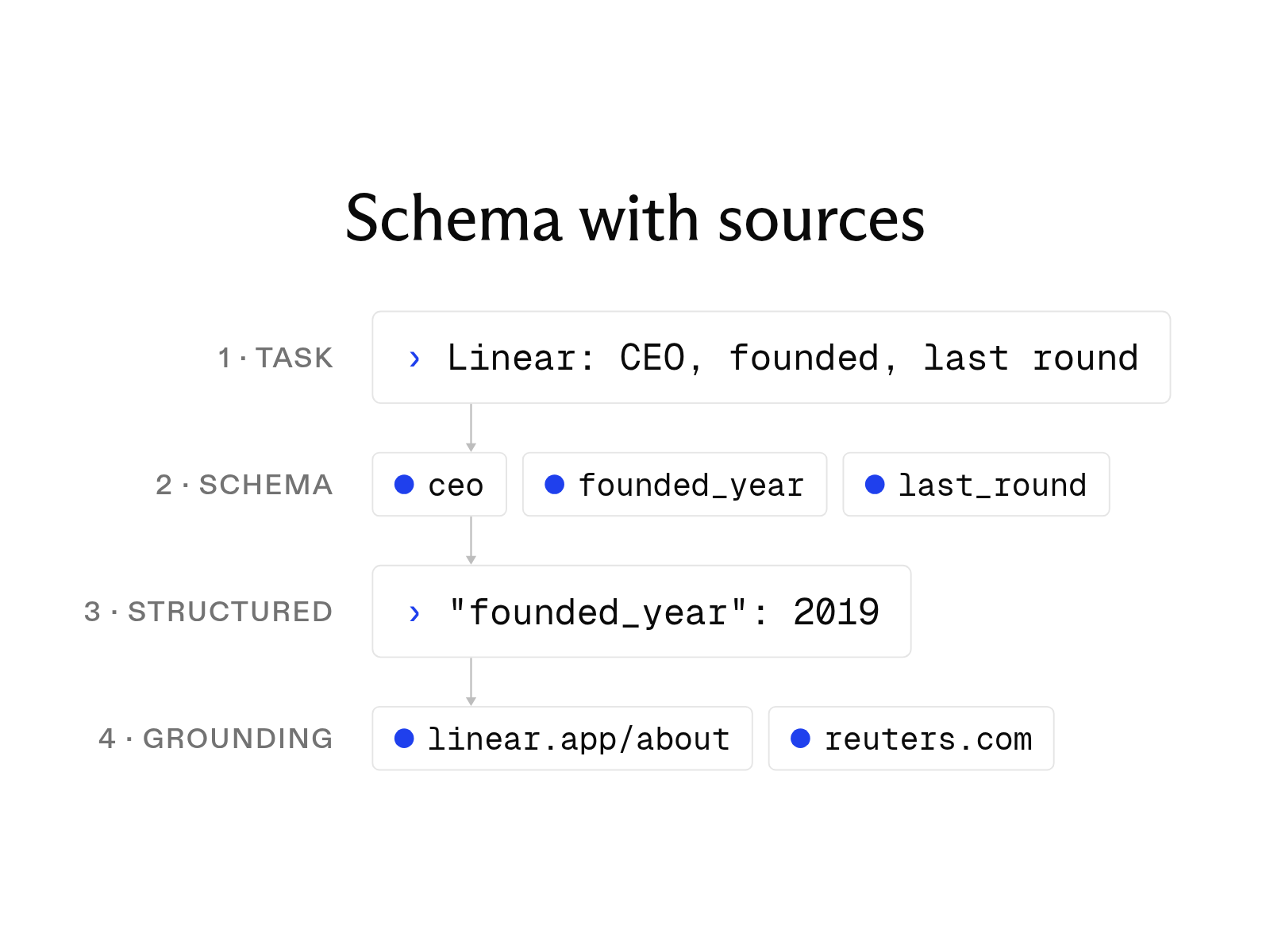
Citations that survive the loop. After five steps, the final answer must still link each fact to its source. We return a URL with every result, plus field-level sources in
output.groundingwhen a search setsoutputSchema, so the agent carries sources forward instead of rebuilding them at the end. -
Cost per call. A workflow multiplies every price by its step count. We charge $4 per 1,000 requests for
litesearch, $7 forauto, and $12 fordeep-liteanddeep. -
Tunable depth. A live lookup needs an answer in under a second; a research step can wait for a better one. Set depth per call with
type:litereturns in about 450 ms, anddeeptakes 4 to 15 seconds for multi-step questions. One setting for both overpays for the lookup or weakens the research. CodeRabbit, an AI code review platform, cut web-search calls by 70 to 75% using one Exa deep search call per check.
This script runs a lookup and a research step and prints each one's size and cost.
from exa_py import Exa

exa = Exa()  # reads EXA_API_KEY from the environment

# One search setting per step: a quick lookup and a deep research step
steps = [
    ("lite", "latest stable release of the Python requests library"),
    ("deep", "breaking changes between Pydantic v1 and v2 that affect FastAPI apps"),
]

for search_type, query in steps:
    result = exa.search(
        query,
        type=search_type,
        num_results=5,
        contents={"highlights": True},
    )
    chars = sum(len(" ".join(r.highlights or [])) for r in result.results)
    print(f"{search_type}: {len(result.results)} results, "
          f"{chars} highlight characters, "
          f"${result.cost_dollars.total:.4f}")
    for r in result.results[:2]:
        print("  ", r.title, r.url)
These calls work the same whichever model runs the agent: Claude, GPT, Gemini, or any other. Hand a full research task to the Exa Agent API, which does the searching, reading, and reasoning itself.
FAQ
When should I use an agent framework?
When it replaces code you'd otherwise write: parsing tool calls, retrying failures, tracing runs. Anthropic suggests starting with model APIs directly, since many patterns take a few lines of code. If you use Pydantic AI, a Python agent framework, our Pydantic AI integration adds Exa as a search tool.
Cheers,
Keep learning
Browse all Learn articles →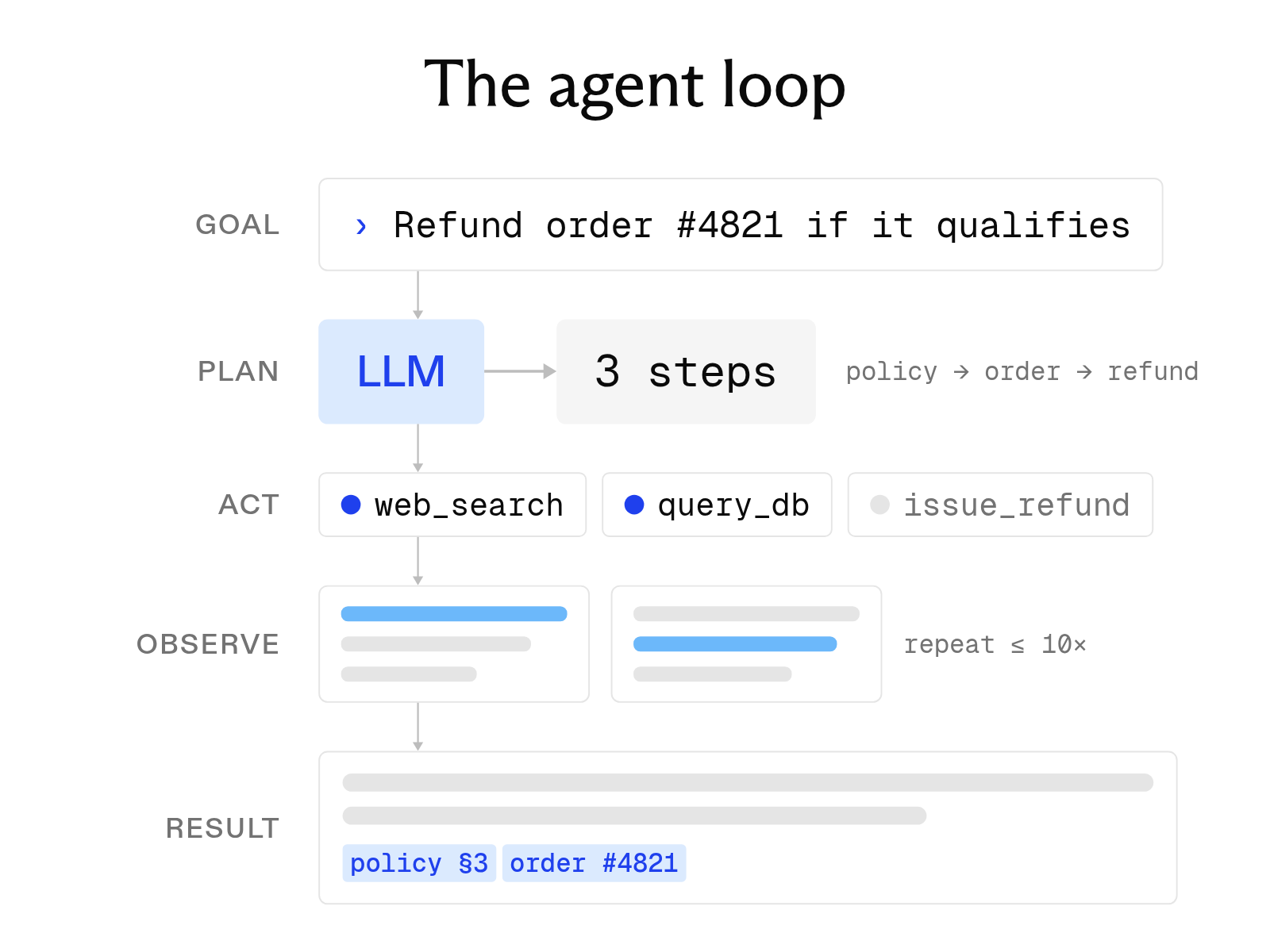
What is an AI agent? How it works, key components, and examples
October 1, 2026
How to build an AI agent with web search
October 6, 2026
How to get structured outputs from a search API
November 24, 2026
Open-source deep research agents: how they work and how to use them
October 1, 2026
The 8 best web search tools for AI agents in 2026
October 6, 2026
What is enterprise search and where does a web search API help?
November 24, 2026