How to get structured outputs from a search API
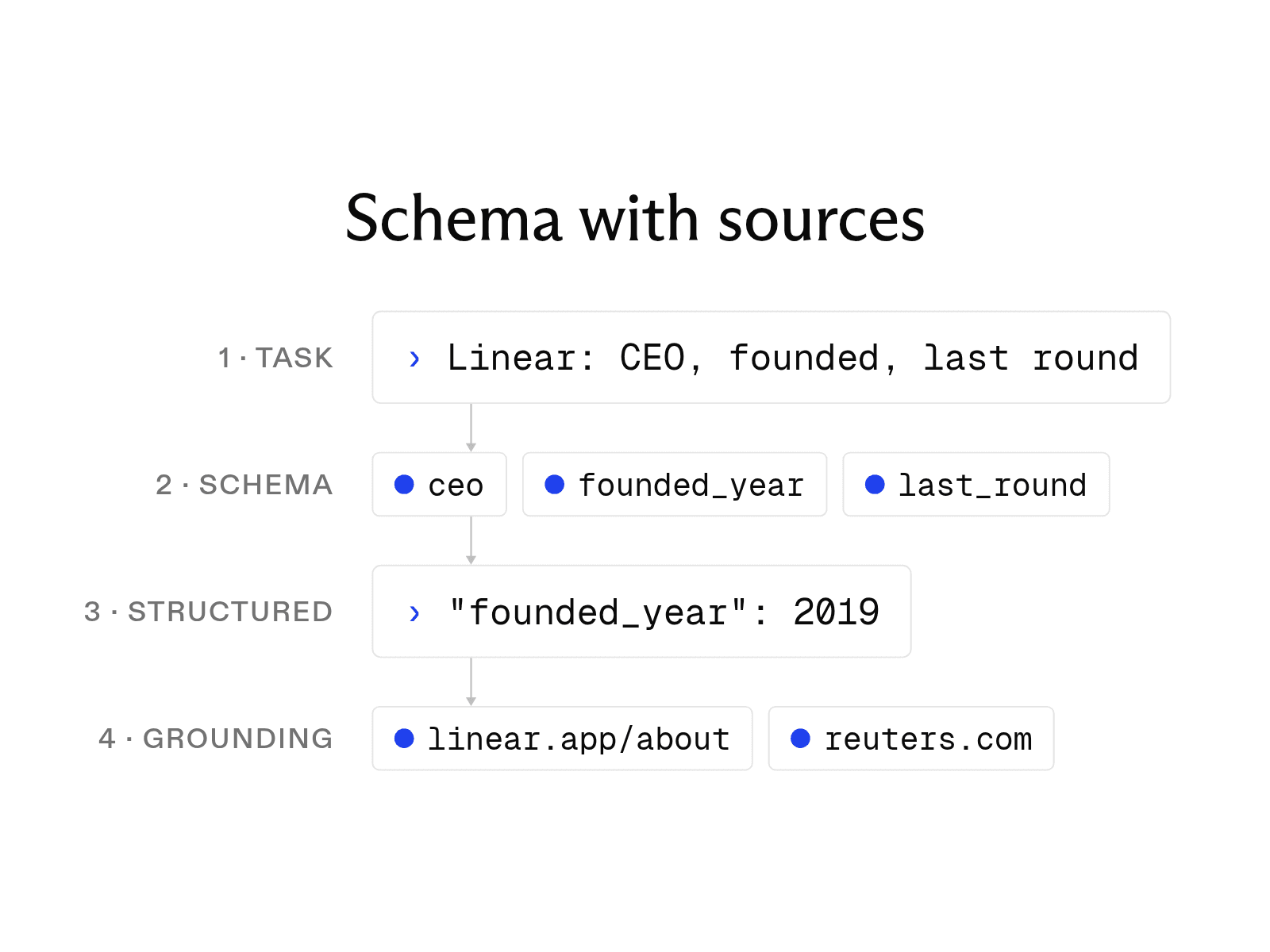

Structured outputs are model responses returned as JSON that matches a schema you supply, so your code reads fields instead of parsing prose. A search API can apply the same pattern to web retrieval: it searches the live web, fills each field from the pages it reads, and cites the source behind each value.
At Exa, we build a web search API for AI applications, and both our Search API and Agent API return structured outputs with citations for each field.
This guide covers why parsing prose fails, what OpenAI, Anthropic, and Google guarantee when they enforce a schema, and how to choose between an Exa endpoint, a search call plus model structured outputs, and a fixed-schema vendor API. It ends with a working Agent API example, including its citations and cost.
Why parsing prose fails
A pipeline that asks a model for prose and parses the answer breaks in three ways.
-
Formatting drift. One call answers "Founded: 2019" and the next answers "The company started in 2019." A regex written for the first answer misses the second.
-
Silent omission. The model skips the CEO line in one response, and the parser writes an empty cell without raising an error.
-
A plausible, wrong value. The model returns a funding amount in the right format from the wrong round. The parser accepts it because the value looks right.
To cope, your team writes a retry loop for responses that don't parse, then a validation layer that checks types, ranges, and required keys. Both need updates whenever the prompt, model, or source pages change. A schema moves those two checks into the API, where the provider enforces them. Catching the third failure takes a source for each value.
How OpenAI, Anthropic, and Google enforce schemas
OpenAI, Anthropic, and Google each constrain a model's response to a JSON Schema. Each guarantees the response structure, not the accuracy of its values.
| Provider | Feature and parameter | Allowing a missing value | Stated exceptions or caveats |
|---|---|---|---|
| OpenAI | Structured Outputs | Keep every field in required; give it a union type that includes null | Refusals and truncated responses |
| Anthropic | Claude structured outputs, output_config.format | Omit the field from required; up to 24 optional parameters per request | Refusals, responses cut off at max_tokens, and enum values that differ from the schema only in capitalization |
Gemini structured outputs, response_format in the Interactions API | Add "null" to the field's type array | Guarantee covers syntactically correct JSON; validate values in your application |
OpenAI states that Structured Outputs ensures the model "will always generate responses that adhere to your supplied JSON Schema," but warns that when the input doesn't fit the schema, the model's attempt to adhere "can result in hallucinations." Anthropic uses constrained decoding and guarantees field types and required fields for the Claude model family.
By default, all three providers fill the schema from the prompt and the model's training data; Gemini 3 can add Google Search grounding. In every case, the schema fixes the shape but records nothing about where each value came from.
Structured outputs from Exa's Agent API and Search API
A search API with schema support does the whole job in one request: you define the fields, the API searches and reads relevant pages, and the response fills the schema with data from those pages. We offer this in two products.
Exa Agent API. The Agent API takes a natural-language task and an optional outputSchema, and returns schema-validated JSON in output.structured with citations in output.grounding. You define the fields in plain language and JSON Schema, so they fit your product rather than a vendor's fixed schema.
One run can perform several searches, read the resulting pages, verify each candidate against your criteria, and handle multi-step tasks such as finding companies and their decision-makers. The input.data field enriches rows you already have. Choose it when your schema needs more than 10 properties or 2 nesting levels, when the task takes several steps, or when you're enriching existing rows.
Exa Search API. Adding outputSchema to a Search API request makes the API synthesize the results into output.content, with field-level sources and confidence in output.grounding. The parameter works with auto and the deep search types; lite doesn't accept it. Search schemas allow 10 properties and 2 nesting levels. Choose it when your schema fits within those limits and an auto or deep search can answer it.
Reviewing field-level citations
A filled field without a source is a claim nobody can verify. In accountable workflows such as sales lists, diligence memos, or compliance records, a reviewer has to research each uncited value before using it.
Our APIs return field-level grounding in output.grounding as a list of entries. Each entry includes a field path such as structured.ceo, the URLs supporting the value, and a low, medium, or high confidence rating. That supports three kinds of checks.
-
Spot checks. A reviewer opens the cited page for a random sample of fields and confirms the value appears there.
-
A reviewer queue. Before a row ships, your code sends each low-confidence field, or any field supported only by an untrusted site, to a reviewer.
-
A drop rule. Your code sets any field with no grounding entry to
null, so an uncited value never reaches your database.
The Agent API can also return null for a field the evidence doesn't support, even a required one, so check stopReason and nulls in code. Our Agent best practices note that schema adherence validates shape only, and recommend storing output.grounding with the structured result and verifying important claims against their sources.
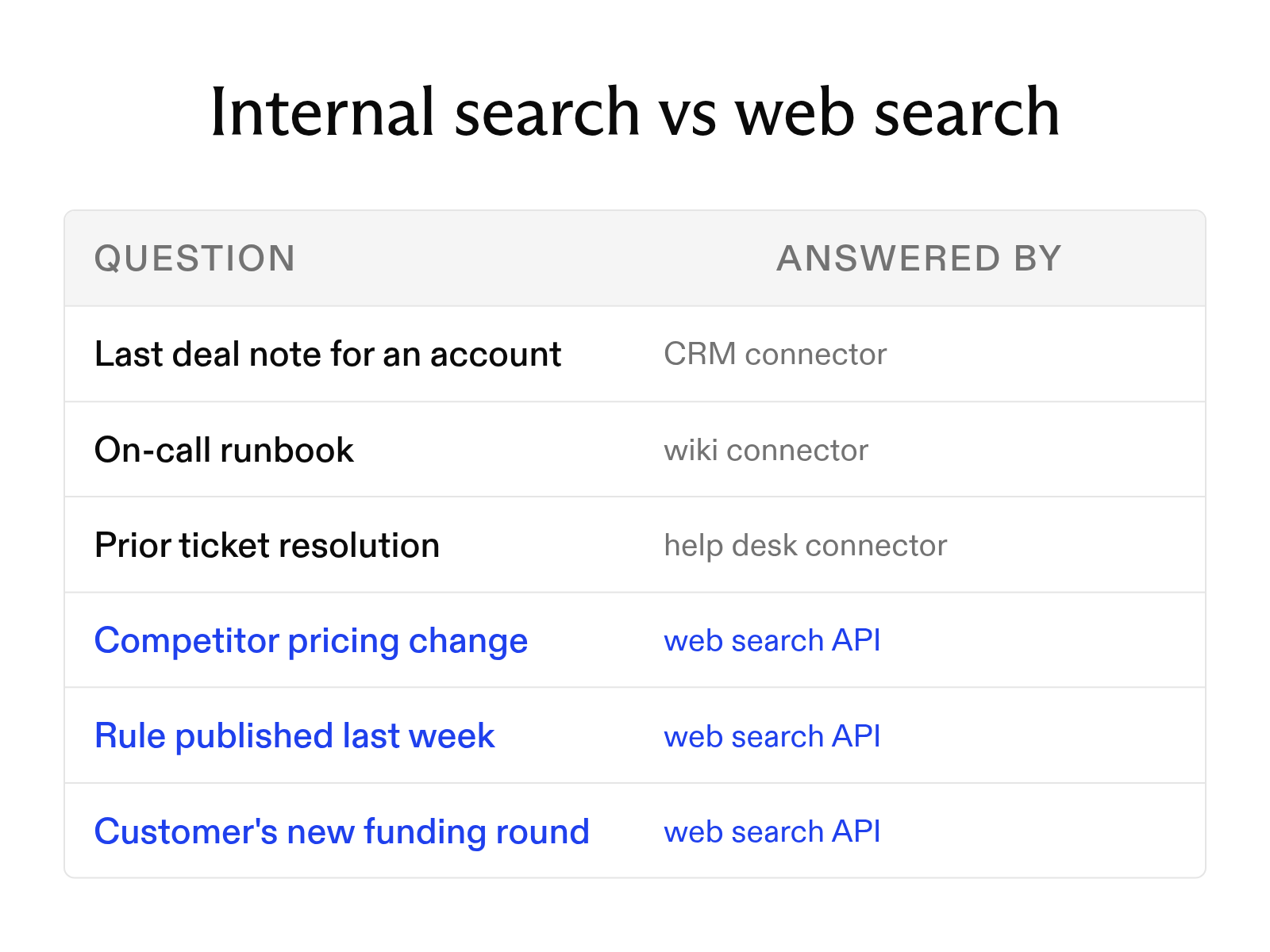
For assistants that draw on company records as well as the web, see how enterprise search and web retrieval work together.
Choosing an approach
Five questions separate the options: who fills the fields, who owns the schema, whether each field comes with citations, what happens to a field that can't be filled, and what it costs.
| Approach | Who fills the fields | Whose schema | Citations per field | Failed field | Price |
|---|---|---|---|---|---|
| Exa Agent API | Exa's agent, from live web research | Yours, in JSON Schema | Yes, with confidence | Null | $0.012 to $1.00 per request by effort; auto bills by usage up to $5 |
| Exa Search API with outputSchema | Exa, from one search | Yours, in JSON Schema, up to 10 properties | Yes, with confidence | Not documented | Base rates of $7 per 1,000 Auto requests and $12 per 1,000 Deep Lite or Deep requests |
| Search call plus model structured outputs | The model, from the text you send | Yours, in JSON Schema | Only if you add them | A value, or null if the schema allows it | Search price plus model tokens |
| Fixed-schema vendor endpoint | The vendor's database | The vendor's | Varies by vendor | Empty column | Varies by vendor |
If you send search results to a model to fill your schema, you pay for both the search and the model call. The page text counts toward the model's input tokens, and you need to track which source supports each field.
A fixed-schema API, such as a company data API, returns the same fields for every record without a prompt. If you need a field it doesn't offer, you'll have to get it from another source.
The Agent API's effort setting sets the cost per request: $0.012 for minimal, $0.025 for low, $0.10 for medium, $0.50 for high, and $1.00 for xhigh. The auto setting bills by usage up to a default $5 cap. Our effort guide starts single-entity research at medium and drops to low or minimal when cost and latency matter more than completeness.
The low-effort run in the worked example below billed $0.025: $0.01 of agent compute and $0.015 of search. The two-call alternative starts with an Exa search at $7 per 1,000 requests, or $0.007. Claude Sonnet 5.5 lists input at $2 per million tokens, so the remaining $0.018 buys 9,000 input tokens before any output, and that second call returns no citations unless you build them. Our highlights, which matched full-page accuracy with 16x fewer tokens in our benchmark, keep that prompt small.
Worked example: profiling Linear with the Agent API
This task profiles the software company Linear in six fields. Fields that may lack source support are nullable and excluded from required, so the agent can return null instead of guessing.
from exa_py import Exa

exa = Exa()  # reads EXA_API_KEY from the environment

schema = {
    "type": "object",
    "additionalProperties": False,
    "required": ["company"],
    "properties": {
        "company": {"type": "string"},
        "headquarters": {"type": ["string", "null"]},
        "founded_year": {"type": ["integer", "null"]},
        "ceo": {"type": ["string", "null"]},
        "latest_funding_round": {"type": ["string", "null"]},
        "latest_round_amount_usd": {"type": ["number", "null"]},
    },
}
The run sets effort="low", which costs $0.025 per request, and the system prompt states the null rule in plain language.
run = exa.agent.runs.create(
    query="Profile the software company Linear (linear.app): headquarters city, "
    "founding year, CEO, latest funding round, and that round's amount in US dollars.",
    system_prompt="Return null for any field that no source supports.",
    effort="low",
    output_schema=schema,
)
run = exa.agent.runs.poll_until_finished(run.id)
The last step prints the filled schema, the citations for each field, and the cost breakdown.
import json

print(json.dumps(run.output.structured, indent=2))
for entry in run.output.grounding:
    print(entry.field, entry.confidence, [c.url for c in entry.citations])
print(run.cost_dollars)
We ran this code in September 2026. It completed three searches in 14 seconds. The response below shows two of the six grounding entries:
{
  "stopReason": "schema_satisfied",
  "output": {
    "structured": {
      "ceo": "Karri Saarinen",
      "company": "Linear",
      "founded_year": 2019,
      "headquarters": "San Francisco",
      "latest_funding_round": "Secondary Market - II (employee tender offer)",
      "latest_round_amount_usd": 99000000
    },
    "grounding": [
      {
        "field": "structured.ceo",
        "citations": [{"url": "https://linear.app/about"}],
        "confidence": "high"
      },
      {
        "field": "structured.latest_funding_round",
        "citations": [
          {"url": "https://linear.app/now/sharing-growth-with-the-people-building-linear"},
          {"url": "https://www.cbinsights.com/company/linear-1/financials"}
        ],
        "confidence": "high"
      }
    ]
  },
  "costDollars": {"total": 0.025, "agentCompute": 0.01, "search": 0.015}
}
The funding fields show what a citation buys you. The agent filled latest_funding_round with a $99 million employee tender offer, and the first citation opens Linear's post about that tender. A reviewer who opens it sees a secondary sale. Linear's latest primary round was an $82 million Series C in June 2025, which the run's output.text also names. Both citations were rated high confidence, so a low-confidence reviewer queue would not have flagged this field. A sharper field description, such as "latest primary funding round," would have asked the right question.
Cheers,
Keep learning
Browse all Learn articles →
What is LLM grounding, and how does it work with a search API?
October 6, 2026
The 8 best enrichment APIs in 2026
October 19, 2026
Agentic workflows: 6 patterns and the search infrastructure that supports them
November 24, 2026
What is enterprise search and where does a web search API help?
November 24, 2026
What is a deep research API, and how do you build with one?
October 20, 2026
Open-source deep research agents: how they work and how to use them
October 1, 2026