Which AI chatbots can search the web in 2026

In 2026, it’s table stakes for an AI chatbot to search the web. Users expect fresh information about news, prices, documentation, people, research, and more. In fact, building web search into chatbots is one of our biggest use-cases here at Exa.
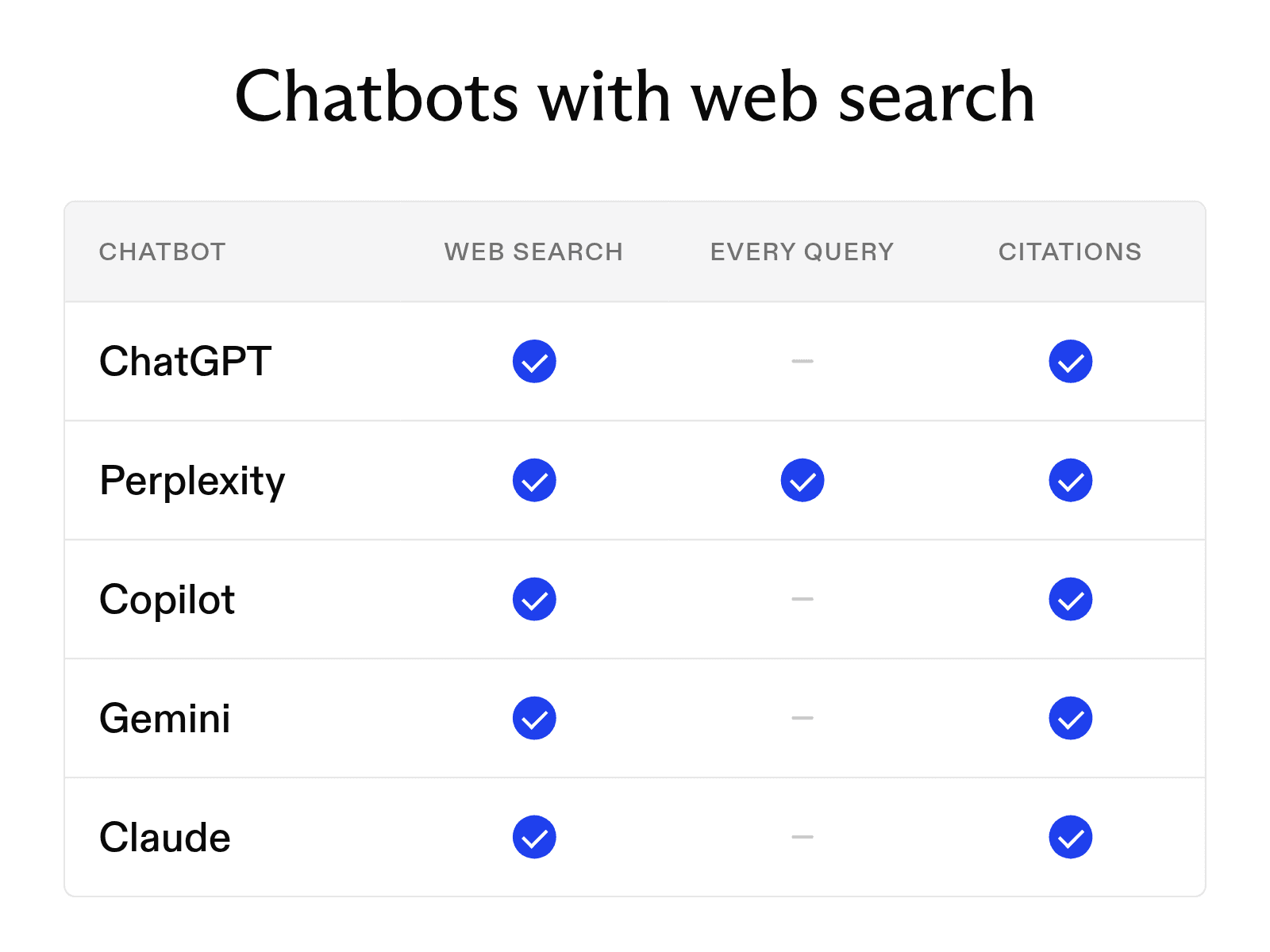
Five major chatbots can search the live web and show where their answers came from. Their search behavior, citation formats, and availability differ, so the options below explain what each one offers.
What if you want to build web search into your own chatbot? We have you covered there, too. The last section shows how to change the search behind a chatbot, or build your own, with Exa.
Chatbots with web search
-
ChatGPT Search is available to signed-out users and users on Free and paid plans. Its responses include links to cited sources.
-
Perplexity searches the web in real time for each question and adds numbered citations that link to original sources.
-
Microsoft 365 Copilot Chat creates a short Bing query from your prompt. The Sources button shows the exact query and the pages used in the response.
-
Gemini draws on external sources such as Google Search. When supporting links are available, it lists them under the Sources button.
-
Claude searches the web when a question benefits from current information, and every search-grounded response includes citations.
ChatGPT and Claude decide when a question requires a web search, though both will search when asked. Perplexity searches the web for every question you send. Claude's newer apps have a web search toggle and search automatically when current information would help.
How AI web search works
A web-enabled chatbot typically follows three steps to produce an answer.
-
First, the model routes the question by deciding whether it needs information from the web. Not every query triggers a search. Anthropic's documentation says Claude answers directly when a topic relies on stable knowledge, such as math or coding concepts, but searches for recent events, prices, and other changing facts.
-
Next, the chatbot retrieves and divides the information into manageable sections. It rewrites the question as one or more search queries and sends them to a search provider. Some tools filter the results before they reach the model, allowing only relevant passages into the context window.
-
Finally, the model synthesizes the retrieved passages into an answer and adds citations. Readers can then open each source and verify the supporting claims.
Choosing a web search provider
You can add a search provider to ChatGPT or Claude or choose one when building your own chatbot. Exa MCP can replace the built-in web search in ChatGPT, Claude, and other MCP-compatible assistants. Grok reaches the same server through xAI's Remote MCP tools. Claude users can add Exa from the connector directory, while ChatGPT users can access it through an official plugin that includes the hosted MCP server.
Exa's search is designed for precision. The assistant creates a query tailored to the user's request, and Exa returns cited information using only the tokens needed for the answer. This approach supports precise, citation-backed responses without filling the context window with complete pages.
To build a chatbot with web search, give the model access to a search tool. The Exa SDKs include ready-made tools for OpenAI and Anthropic models, along with a helper that runs each tool call and returns the results to the model.
FAQ
Can the free version of ChatGPT search the web?
Yes. OpenAI offers web search on ChatGPT Free, Go, Plus, Pro, Business, Enterprise, and Edu. Signed-out users can also access it, though searches count toward applicable usage limits.
Why did a chatbot answer without searching?
The model may have decided that the question did not require current information. To trigger a search, ask the chatbot to search the web before answering. You can also select Search from the tools menu in ChatGPT or turn on the web search toggle in Claude when your app offers one.
Cheers,
Keep learning
Browse all Learn articles →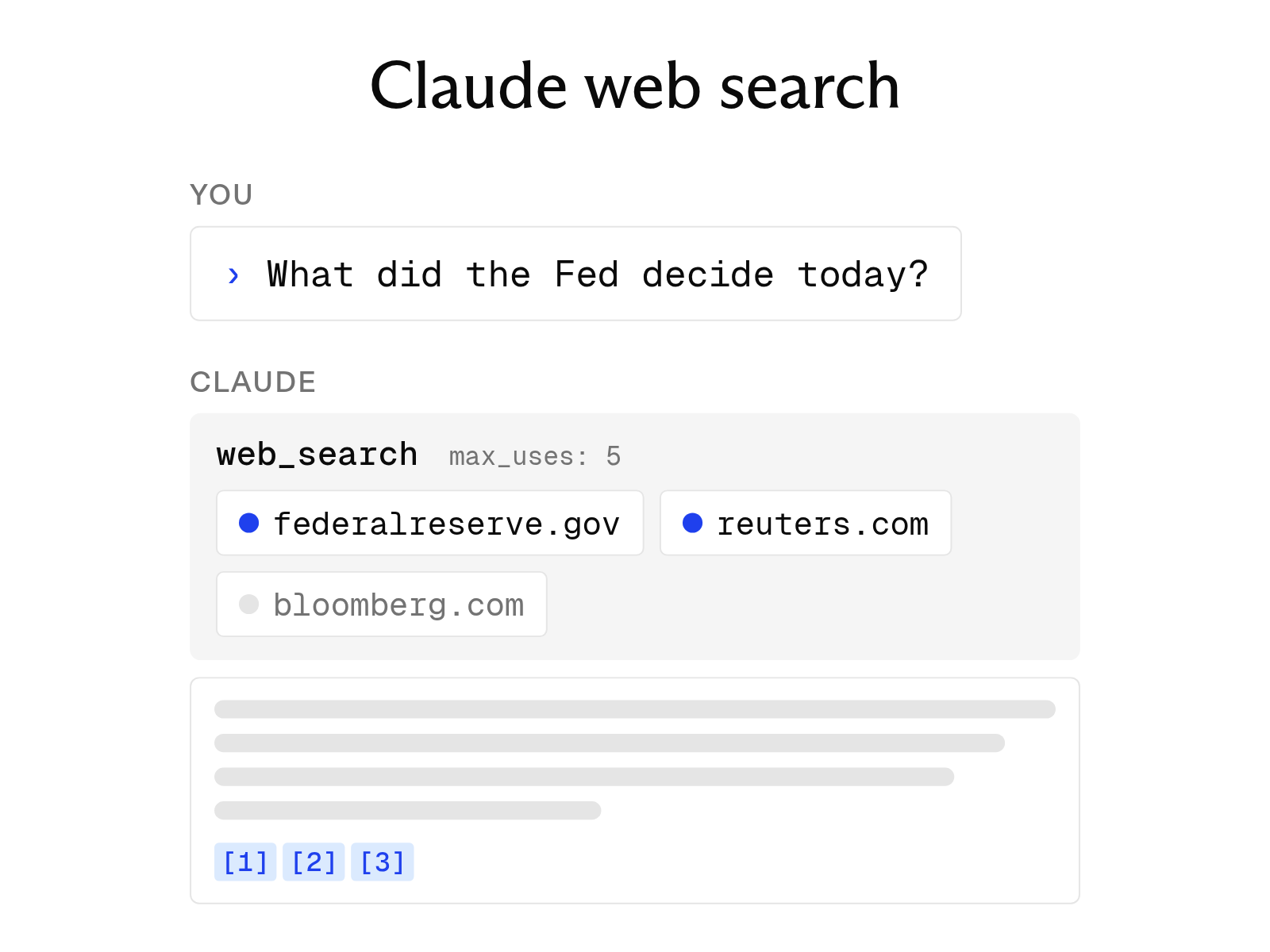
Does Claude have real-time web search? How it works
September 30, 2026
Does Grok have real-time web search? How it works
September 30, 2026
The 8 best web search tools for AI agents in 2026
October 6, 2026
AI people search: how it works, and the best tools available in 2026
September 30, 2026
Best AI source finders for academic use, compared
September 30, 2026
The 12 best AI tools for academic research in 2026
October 6, 2026