AI people search: how it works, and the best tools available in 2026

AI people search helps sales and recruiting teams find professionals by role, company, location, and expertise. You can describe the people you want to find in natural language, research their professional background, and build lists for outreach.
At Exa, we work on this problem directly. We maintain an index of over 1 billion person records, and our customers use natural language (often through the Exa Agent API) to build contact lists, qualify leads, recruit job candidates, and more.
This guide walks you through three approaches to professional people search and common sales and recruiting workflows.
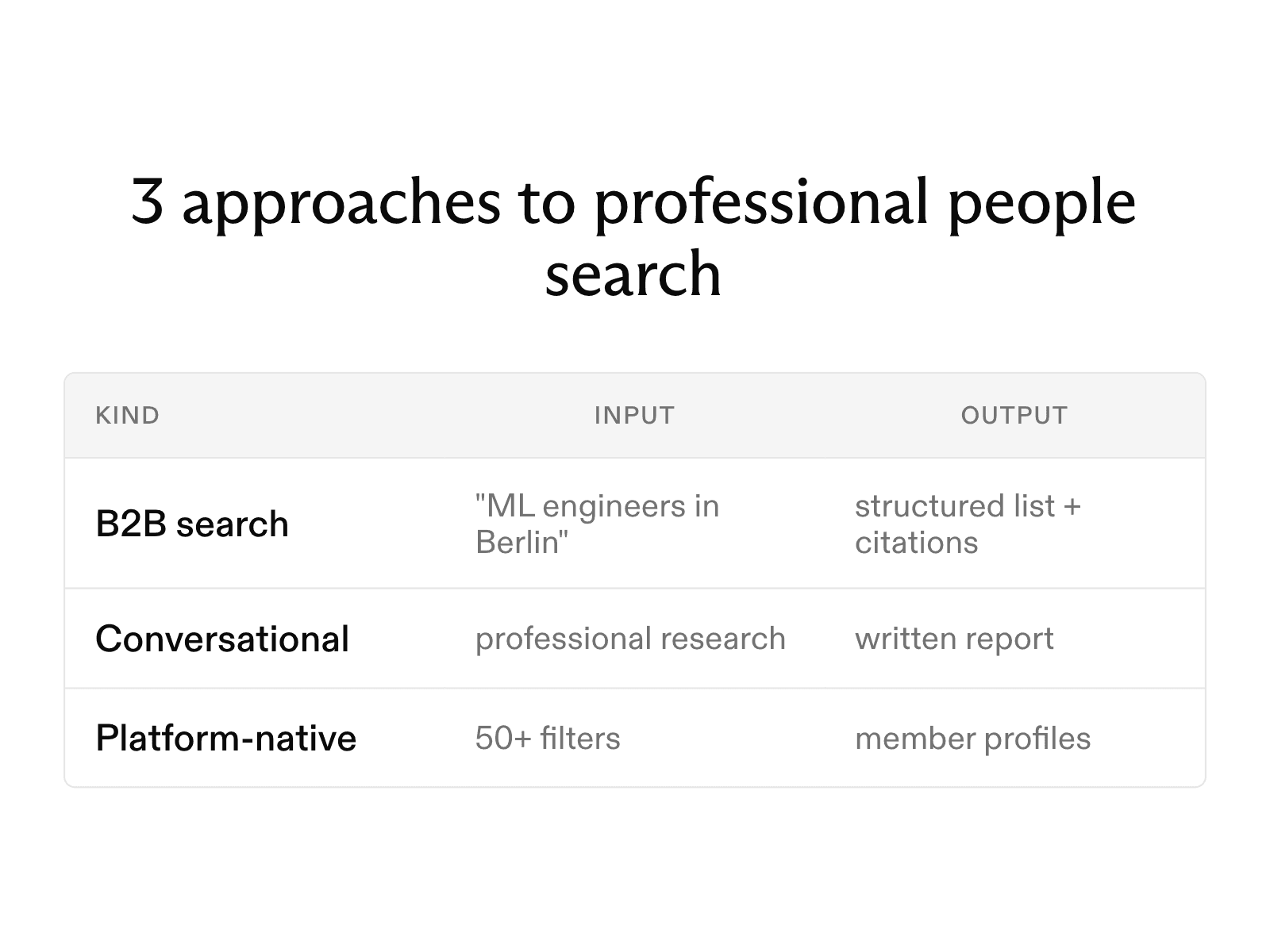
3 approaches to professional people search
-
Professional and B2B search. You describe the people you want by role, company, and location, and the tool returns a list with professional details. Exa uses an API to build these lists from natural-language queries. AI Ark offers AI people search and lookalike search across a database that it says contains more than 400 million professional profiles.
-
Conversational search. You ask about a professional in a chat, and the tool searches the web to produce a research summary. Jenova's People and Contact Finder searches the open web for email addresses, profiles, phone numbers, and other business contact information. HyperWrite's AI Person Finder takes a name and known details, such as an employer or city, and summarizes the person's work and online presence.
-
Platform-native search. The social network searches its own member base. LinkedIn Sales Navigator offers more than 50 filters for searching over 1 billion members. LinkedIn also sells Hiring Assistant, an add-on for LinkedIn Recruiter that builds candidate shortlists from your hiring goals.
Finding professionals for sales and recruiting
For sales and recruiting, the B2B process has three steps: define the criteria, build the list and enrich the results.
-
Define the criteria. Write the target as a sentence. "Heads of security at Series B healthcare software companies that sell to hospitals" specifies a role, company stage, industry, and buyer. A standard database would require several filters to represent the same criteria.
-
Build the list. Exa's Agent API takes the query and runs the searches automatically. It divides the list-building process into parallel tasks, checks each candidate against your criteria, and returns the matches. One run can also include multiple steps. For example, it can find companies that raised funding in the past six months and then identify the engineering leader at each company.
-
Enrich the results. You define the output with a JSON schema, and each record includes the fields you choose, such as a name, job title, company, and profile URL. The run returns schema-validated JSON in output.structured and citations in output.grounding. If you request an email address or phone number, Exa enriches the contact and charges separately: $0.02 per email address and $0.07 per phone number.
AI Ark and Sales Navigator support a similar process within their apps. AI Ark refreshes its database every 30 days and offers 100 free credits each month. Sales Navigator keeps searches within LinkedIn, and its Advanced Plus plan saves leads to your CRM.
Researching a professional by name
Start with a name and professional context, such as an employer, role, or published work.
For name-based searches, conversational tools work best when you provide context. HyperWrite's AI Person Finder includes a "known details" field for an employer or city. This context helps distinguish people who share a name. Jenova's agent accepts the same type of information in a chat prompt. Both search the public web, so they may produce a limited report for someone with little online presence.
Check the source profiles before adding someone to a prospect or candidate list. Two people can share a name, and an AI summary may combine details from both people in one report.
Finding business contact details and professional profiles
The type of tool determines the kind of result.
-
Conversational tools return a written summary with links to social profiles, company pages, and articles. Jenova's agent also looks for emails and phone numbers.
-
B2B tools return structured records. AI Ark returns work emails with its lists. Exa returns the fields in your schema, including emails and phone numbers when you request them.
-
Platform-native tools return member profiles and keep messaging within the platform.
Comparison of AI people search tools
| Tool | Category | Input | Output | Pricing tier |
|---|---|---|---|---|
| Exa | B2B API | Natural-language query, JSON schema | Structured list with citations | $10 free credits a month; Agent runs from $0.012 |
| AI Ark | B2B app and API | Filters or a lookalike seed | People lists with work emails | 100 free credits a month; $49 a month |
| Jenova | Conversational | Plain-language prompt | Profiles, emails, phone numbers | Free tier; Plus $20 a month |
| HyperWrite | Conversational | Name and known details | Written report | Free account; Premium $19.99 a month |
| LinkedIn Sales Navigator | Platform-native | 50+ filters | Member profiles | Free trial, then paid |
FAQ
What is the best AI people search tool for sales prospecting?
Use a B2B tool that returns structured records. Exa's Agent API suits teams that want lists built from plain-language criteria and formatted to their own schema. AI Ark and Sales Navigator suit sales representatives who prefer to work within an app.
Cheers,
Keep learning
Browse all Learn articles →
Does Claude have real-time web search? How it works
September 30, 2026
Does Grok have real-time web search? How it works
September 30, 2026
The 6 best people search APIs in 2026
October 6, 2026
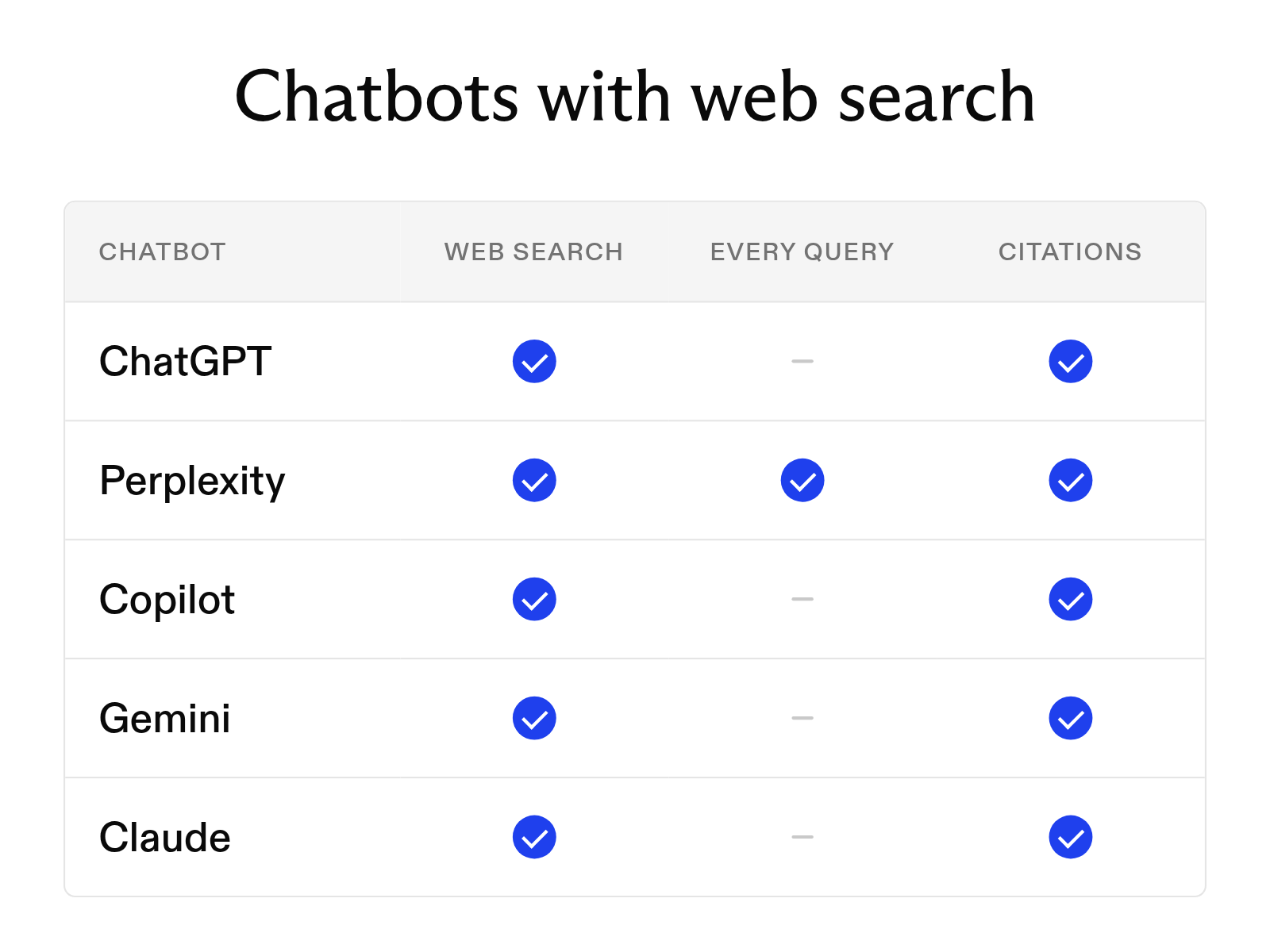
Which AI chatbots can search the web in 2026
September 30, 2026
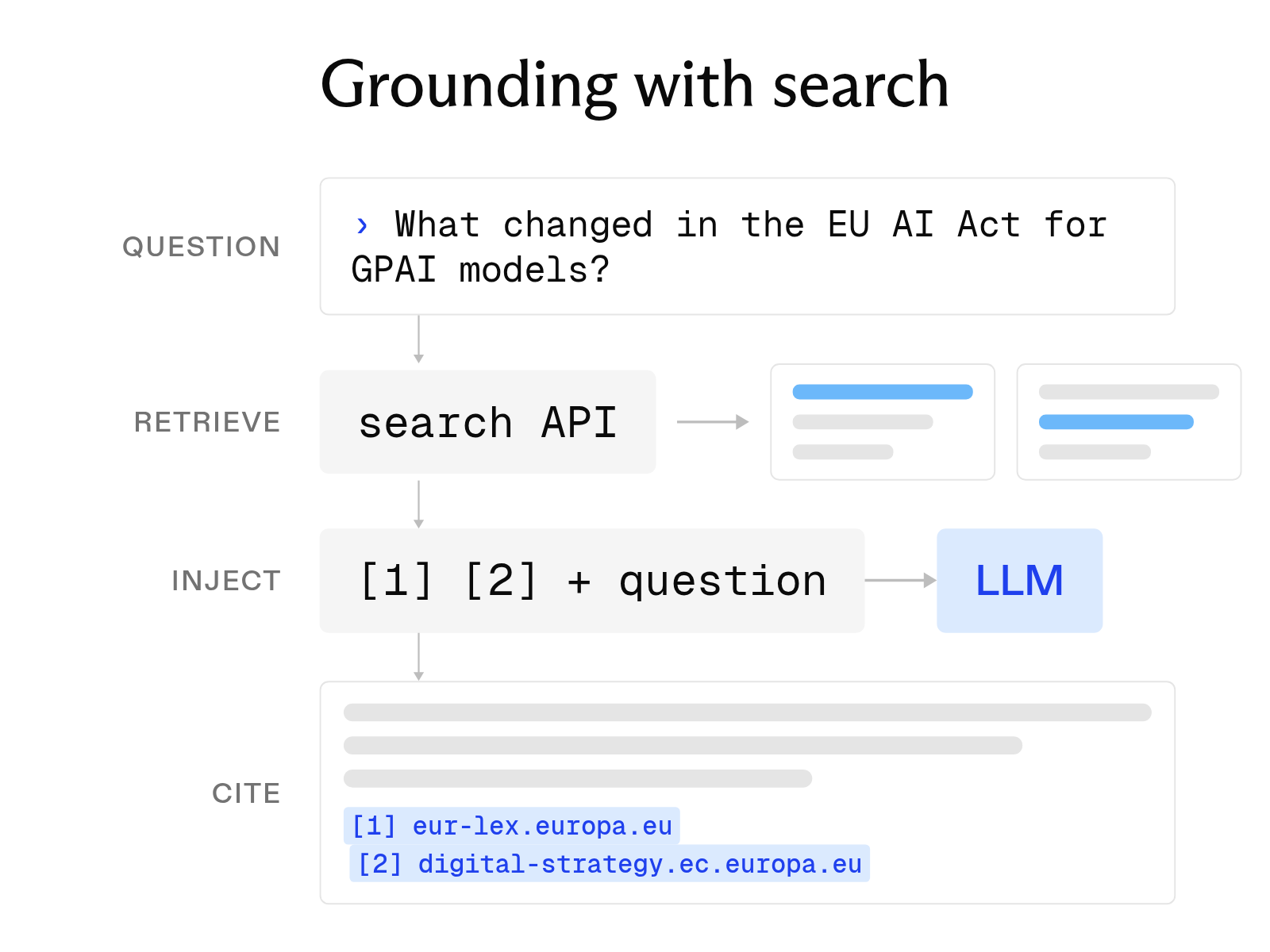
What is LLM grounding, and how does it work with a search API?
October 6, 2026
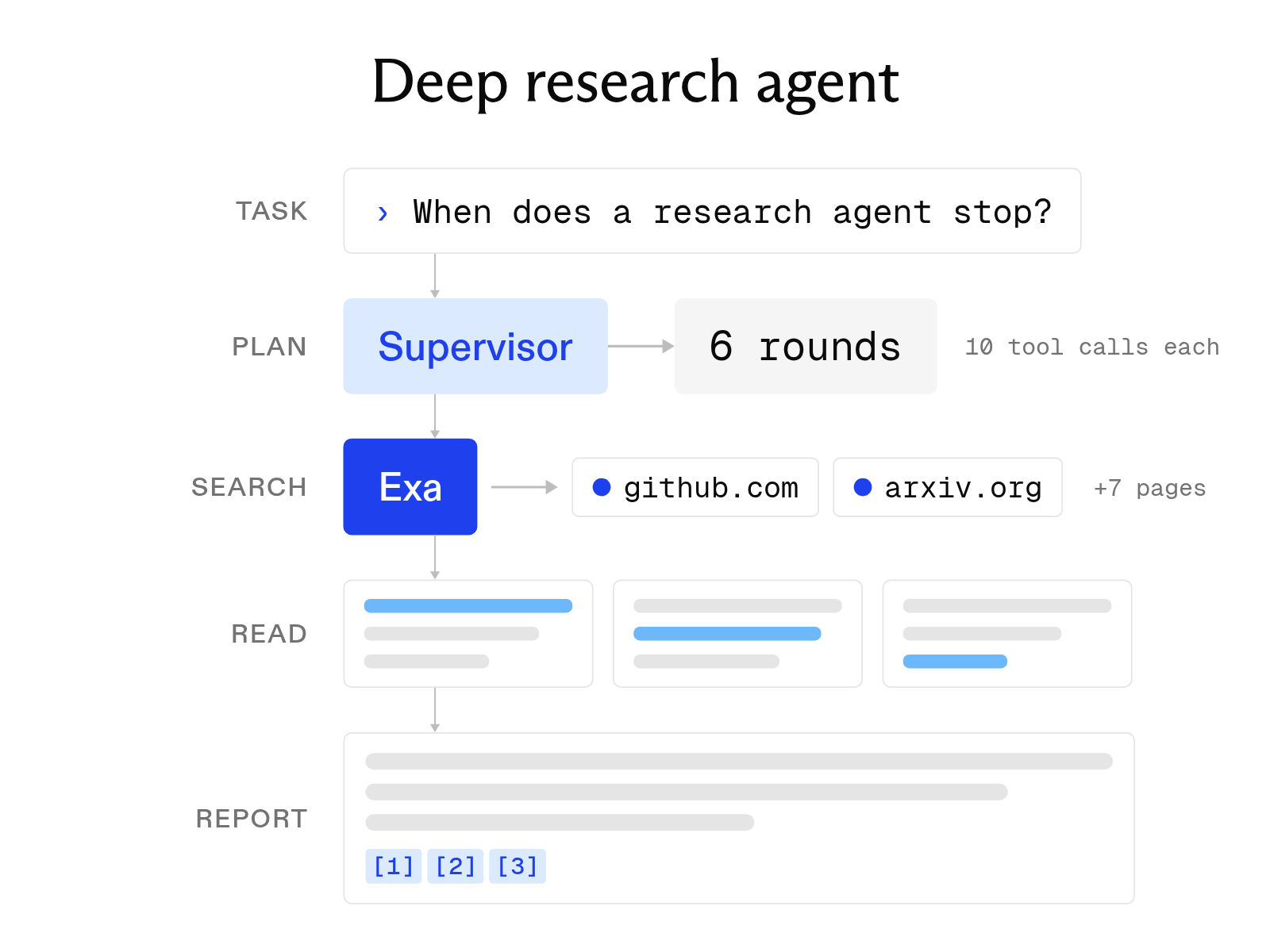
Open-source deep research agents: how they work and how to use them
October 1, 2026