

ElevenLabs voice agents can search the web mid-conversation using Exa as a webhook tool. When the agent decides it needs current information, ElevenLabs makes an HTTP POST directly to Exa’s
/search endpoint — no server or middleware required on your side.
There are two ways to connect Exa to ElevenLabs:
This guide covers the webhook tool approach, which gives you full control over how Exa is called. You can also configure the integration through the ElevenLabs dashboard.
How it works
- User speaks to the voice agent
- The LLM decides to call
web_searchbased on the tool description - ElevenLabs POSTs to
https://api.exa.ai/searchwith headers and body you configured - LLM-determined params (the search
query) get merged with your constant values (type,numResults,contents) - Exa results flow back to the LLM, which responds conversationally
Prerequisites
Get your Exa API key
Create a key in the dashboard. New accounts start with free credits.
Get started
1
Create the webhook tool
Use the ElevenLabs Create Tool API to register a webhook tool that points to Exa’s search endpoint.The key concept: properties with This creates a tool where:
constant_value are fixed (sent on every request), while properties with description are determined by the LLM at runtime.bash
query— the LLM fills this based on conversation contexttype: "lite"uses Exa’s low-cost, low-latency search mode (~450 ms), which serves cached contentnumResults: 5— returns 5 results per searchcontents.highlights: true— returns token-efficient highlighted snippets (best for voice latency)
id — you’ll need it to wire the tool to an agent.If you already have an agent, you can skip step 2 and add the tool to your existing agent in the ElevenLabs dashboard under Agent > Tools, or via the Update Agent API. The tool won’t do anything until it’s attached to an agent.
2
Create an agent with the tool
Create a conversational agent and attach the webhook tool by its ID.The response includes an
bash
agent_id. Open the agent in the ElevenLabs dashboard to test it:3
Embed the widget
Add the agent to any webpage with two lines of HTML:
html
Full Python example
This script creates both the webhook tool and agent in one run:python
bash
Customizing search parameters
The webhook tool body schema maps directly to Exa’s search API. Here are common configurations:Search type
Control the speed/quality tradeoff with thetype constant:
For voice agents, start with
lite. Use auto when you want Exa to choose the best current search mode for each query, or when the tool needs a parameter lite does not support. See Lite for the parameters lite accepts.
Content options
Choose how results are returned via thecontents object:
json
highlights— Token-efficient excerpts. Use this when you want relevant snippets without overwhelming the LLM context. Passtruefor the highest-quality default.text— Full page markdown. Use when the agent needs complete page content. SetmaxCharactersto limit length.summary— LLM-generated summary of each page. Higher latency but provides synthesized content.
lite rejects summary. Set type to auto to request summaries.
For voice agents, highlights: true is the recommended default — it balances relevance with response speed.
Filtering results
Add domain or date filters as constants:json
json
Number of results
AdjustnumResults based on your use case. For voice, 3-5 results keep responses fast. For research-oriented agents, 10+ gives broader coverage.
Schema reference
ElevenLabs webhook tools use a JSON schema with these property types:constant_value— Fixed value sent on every request. The LLM never sees or modifies it. Works for strings, numbers, booleans.description— The LLM determines the value at runtime based on this description. Use for dynamic params likequery.- Nested objects — Use
type: "object"withpropertiesto build nested structures likecontents.highlights.
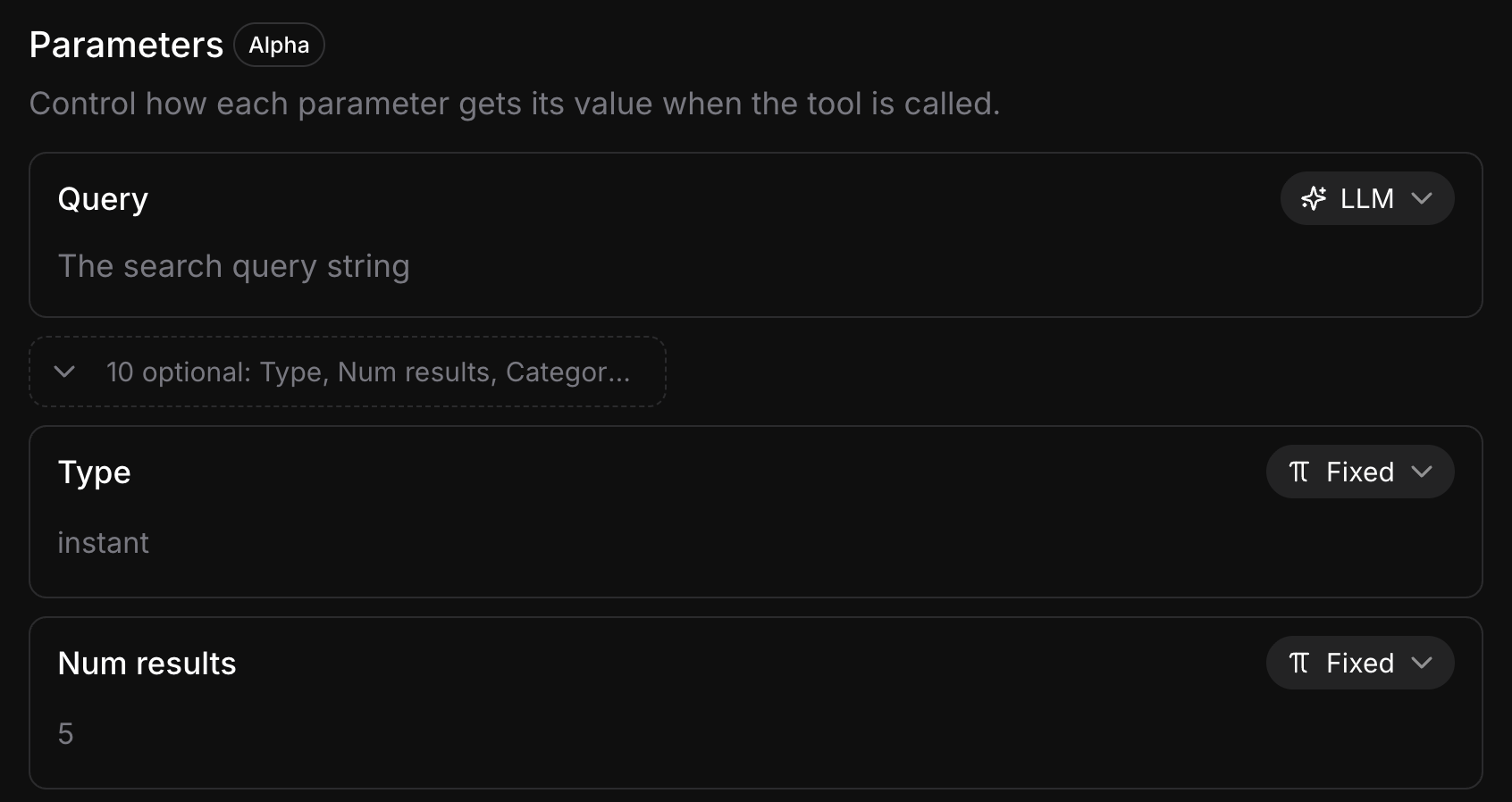
constant_value in the API) are sent as-is on every request. Parameters set to LLM (marked with description) let the model choose the value at runtime. Keep as many parameters Fixed as possible — every LLM-determined parameter adds a tool-calling step that increases response latency.
For the full ElevenLabs webhook tool schema, see the ElevenLabs server tools documentation.