

Installation
1
Install fx
fx login. See the fx docs for provider options.2
Add Exa
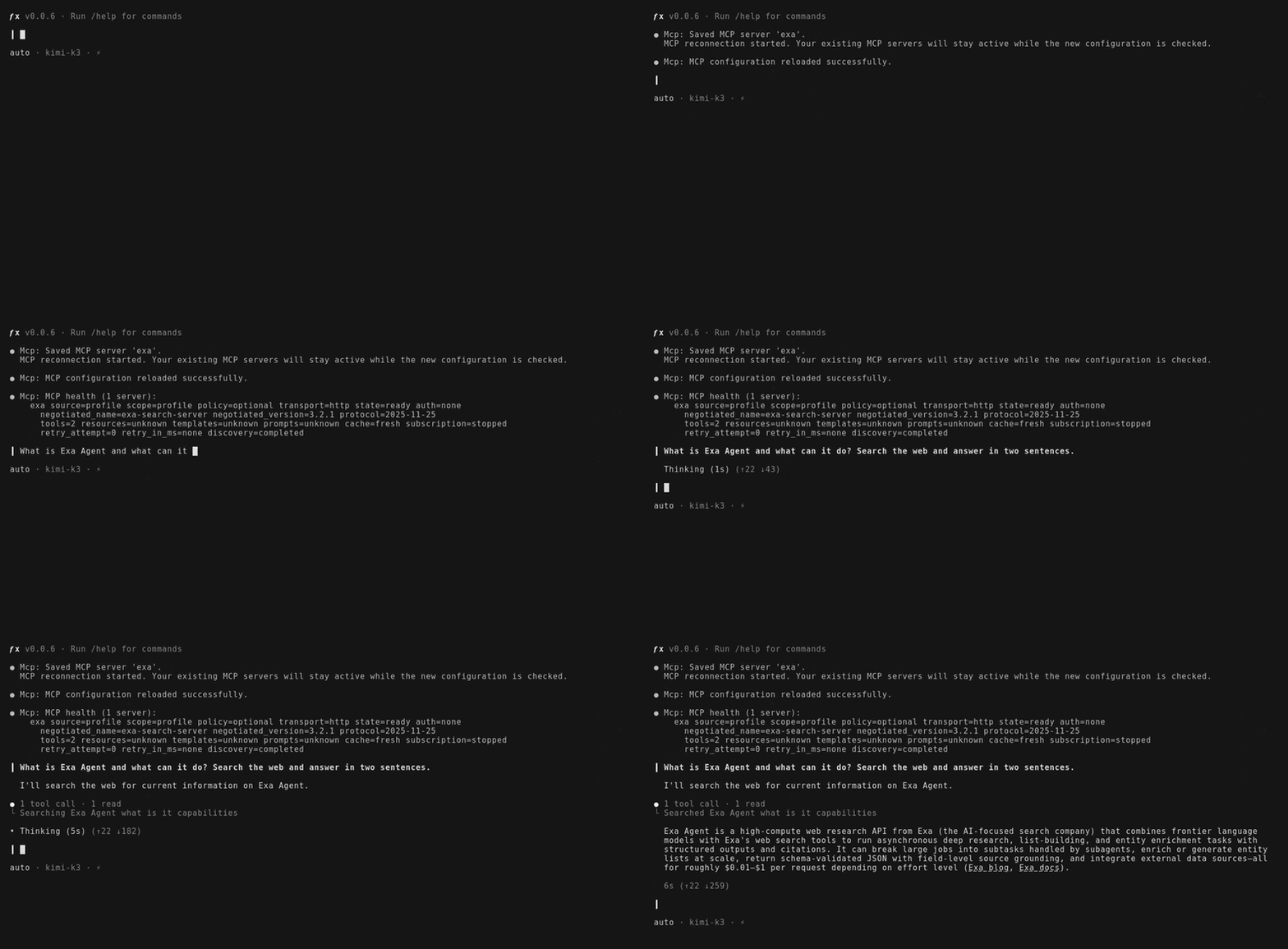
Start fx by running fx saves the server to
fx, then add the Exa MCP server from the interactive shell:~/.fx/mcp.json and reloads MCP.3
Verify the connection
Configure by hand
fx reads MCP servers only from~/.fx/mcp.json, so you can also add Exa there directly:
~/.fx/mcp.json
/mcp reload to apply the change without restarting fx.
The free plan covers casual use. To lift the rate limits, create an API key and add it to the config:
Get your Exa API key
Create a key in the dashboard. New accounts start with free credits.
~/.fx/mcp.json
header_env maps a header name to an environment variable, so the key stays out of the config file.
Tool discovery
fx discovers MCP tools lazily: the server’s tools are not in the model’s context until a turn needs them, so adding Exa costs nothing on turns that don’t search the web.Exa MCP
Review the available tools, configuration options, and other clients.